Menu Close

Author: uk365guy

{How to get Power Apps Per User Plan Licensing }

Hello Everyone,

Today i am going to show how to get power apps per user licensing plan.
Let’s gets started.
Go to Power Apps Licensing page from here

Choose the plan which is suitable for your business needs.

So in this example i am going to show to get free trial.

Select second option Per user plan $20 click on “Try Free”.

From above step you can create new account plan or add to existing Microsoft Tenant account provided you have global administrator rights.

I have created brand new account here you can see the new power apps user plan trail.


Now we look at how to get power app (run one app per user): is just under $5 per user/month


This is useful when there is a requirement to run their own Power App for each user, also it gives fiexibility to stack the license as and when required.

In order to get this licesening plan you would need a global admin rights or billing admin rights on the Microsoft 365 Tenant.

I hope this helps

Malla Reddy(aka UK365GUY)

Share this:

New Solution Explorer Search feature in power platform

Hello Everyone,

Today i am going to share new feature which is available on Power Platform from  here 
With this new feature user can check what is in there in terms of Apps, cloud flows, chatbots, security roles, tables.


Also we can find out the history of the solution by clicking on the history, then we will get displayed all the details of the solution deployment.
Finally we can nice view of the solution overview.
Hope this helps.
Malla reddy(aka UK365GUY)


Share this:

Power Platform enthusiast must read documents

Hello Everyone,

Its been a while i am away from blogging.
Here i am today.
Everyone who are interested in learning Power Platform then the following documents are a must read once.
There are two documents:
1. Implementation Guide SUCCESS BY DESIGN Here
This document explains about how to approach a Power Platform projects and what are the steps needs to be followed.
2. Power Apps Creators Guide Here
This document will guide on how to leverage digital culture across the organisation.
I hope this helps
Malla Reddy aka UK365GUY
Share this:

{How to enable add products on order table Dynamics 365 Sales}

Hello Everyone,
Suppose there is a scenario to add multiple products on sales order. How do you do that?
Lets gets started.
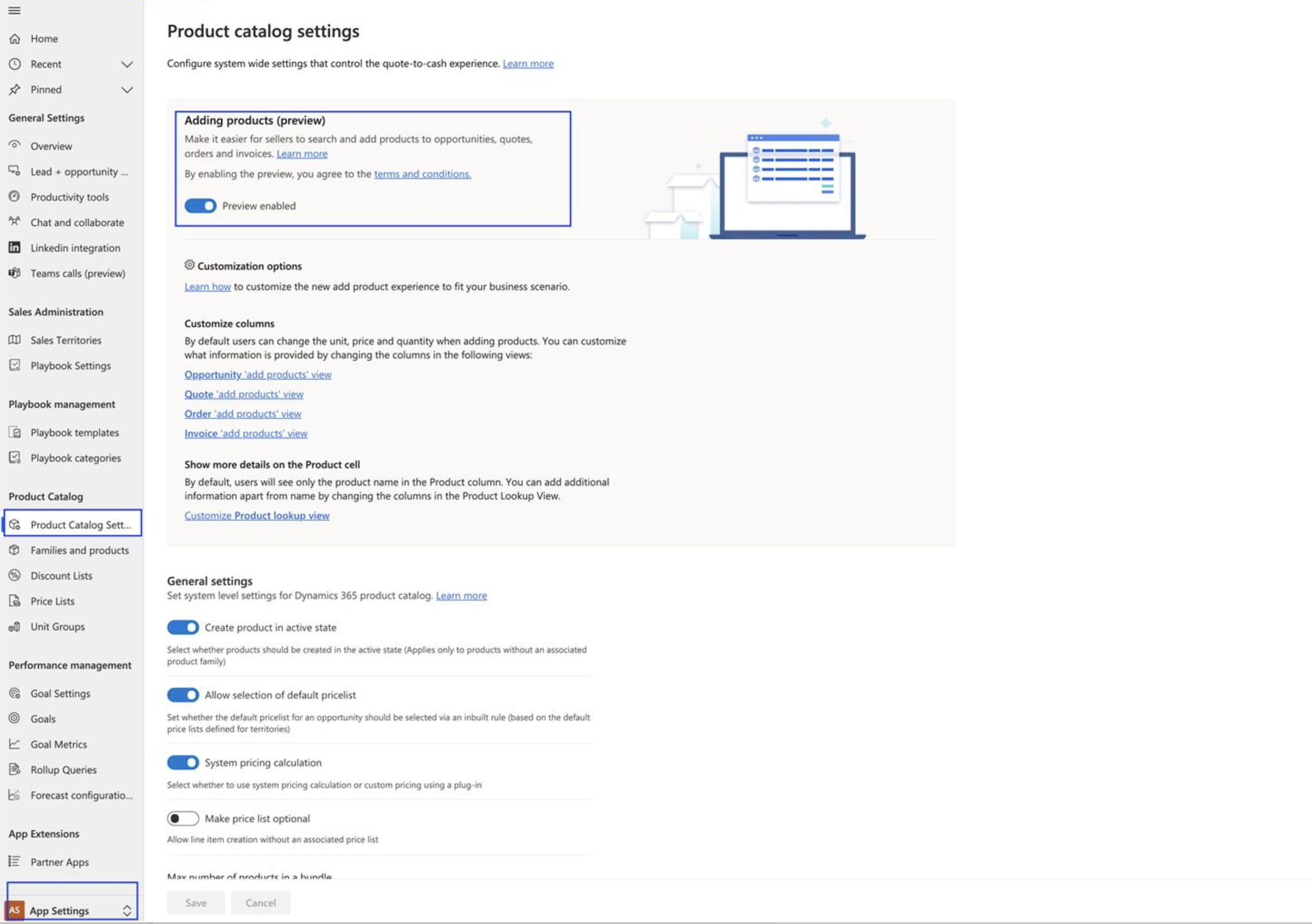
Login into your Dynamics 365 Sales Hub and then left bottom cornor change to App Settings and then click on PRODUCT CATALOG SETTINGS and toggle the “Adding Products” to enabled.
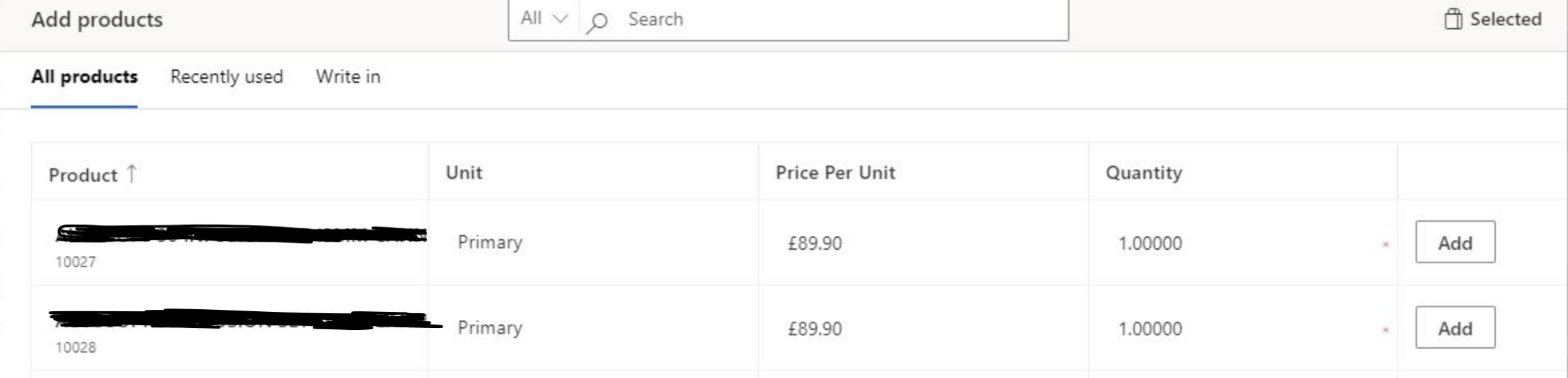
Then you should be able to add multiple products just a click of a button.


Hope this helps.
Malla Reddy(aka UK365GUY)
Share this:

{How to automate business process with Power Automate Desktop}

Hello Everyone,

Today I am going to show how to do simple business automation with Power Automate Desktop.
Things must have:
1. You should download Window Desktop or Laptop to download Power Automate Desktop
2. Download Power Automate Desktop for free from Here
Once Power Automate Desktop(PAD)  Installed, Pin it to your taskbar.
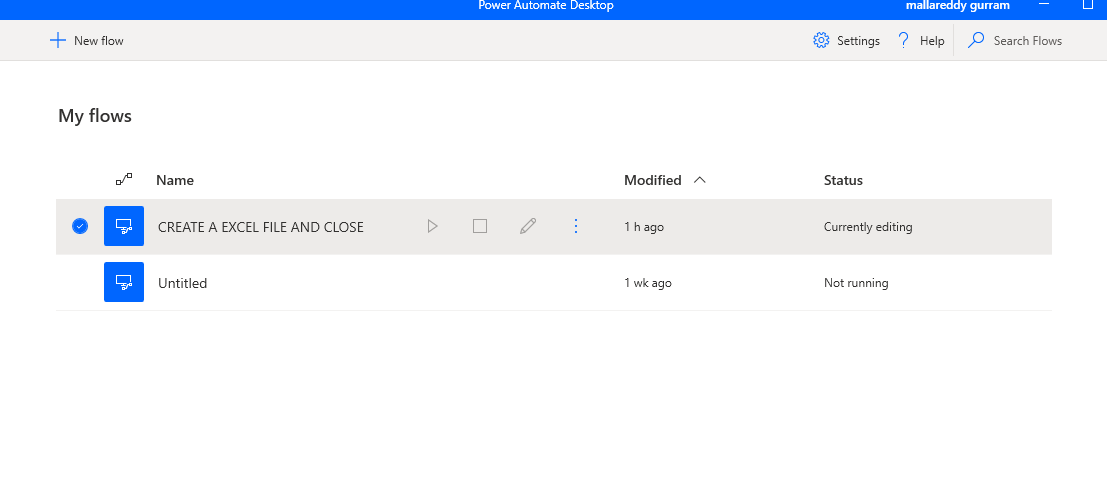
Open the PAD and cretae a new flow “Create a excel file and close”
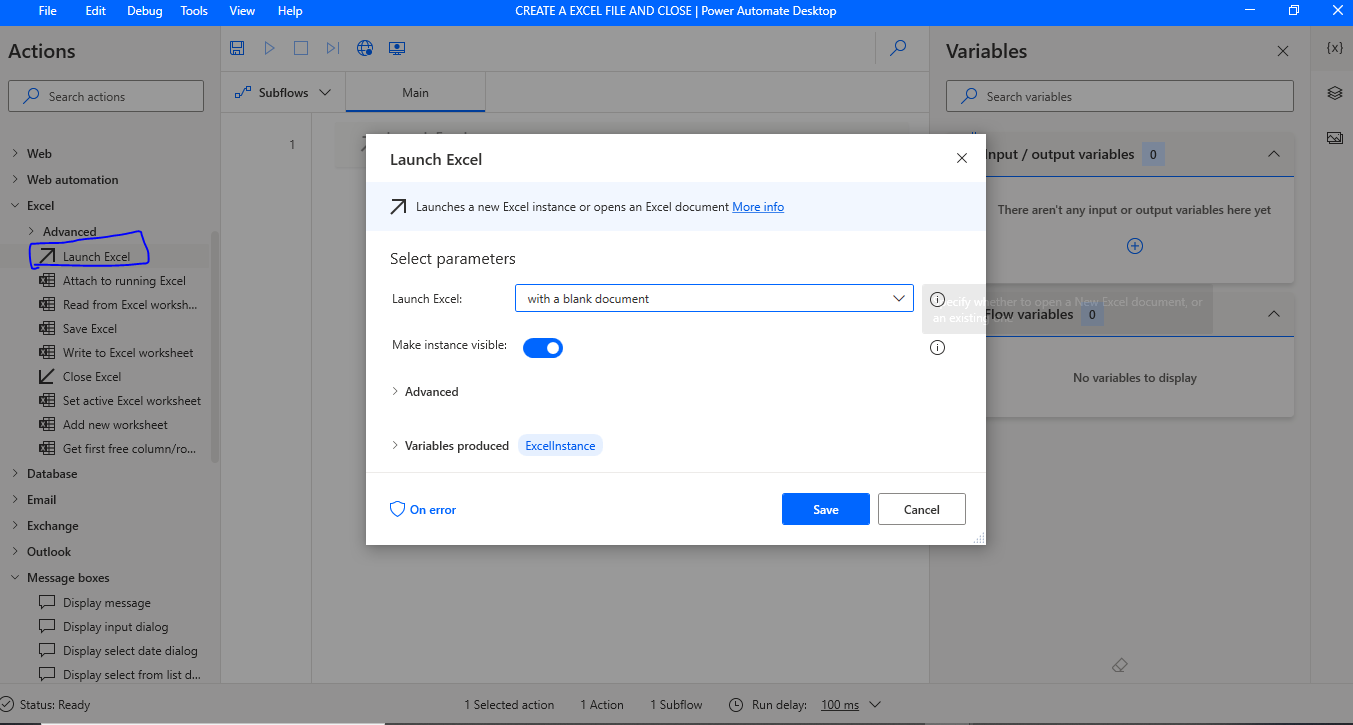
Open newly created flow and open the Excel tab, drag the “Launch Excel”.

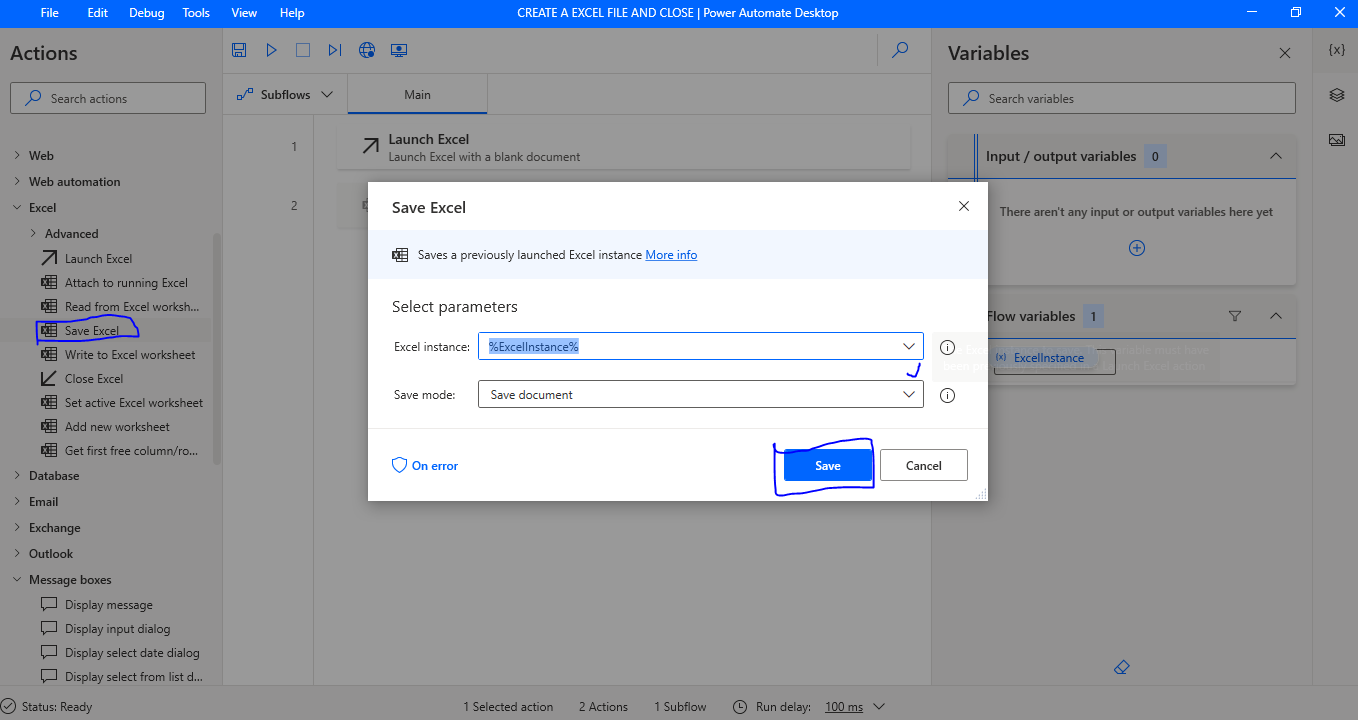
Click save…

Then drag the “save file” from excel tab again, click on save button.
Drag the “Display Message”  box from  “Message boxes” Give message box title, message to display, “message box icon” i have chosen “information”,
Message box button “OK”.
Default button First button.
Keep Message box always on top slide button to yes.
Close message box automatically again a slide button to yes.
Timeout set to “1”.
Finally click Save.

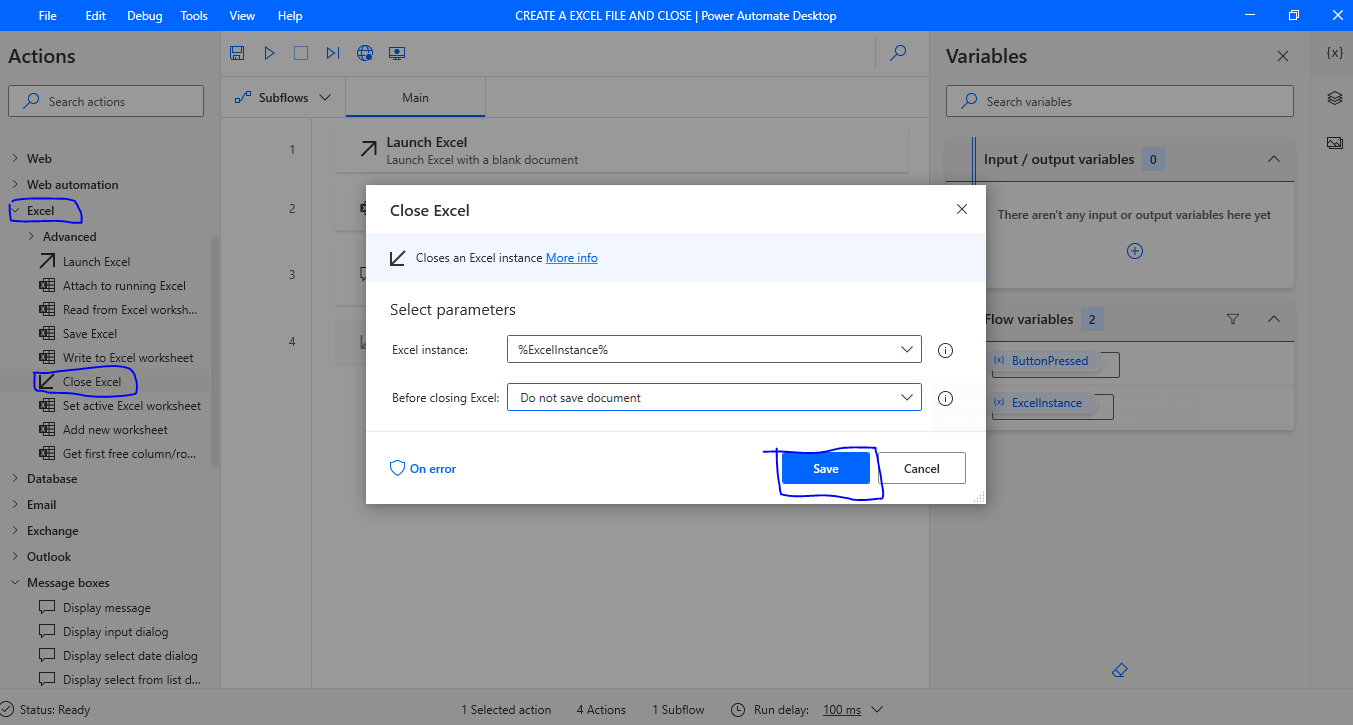
Lastly drag the “Close Excel” and  click save.

 
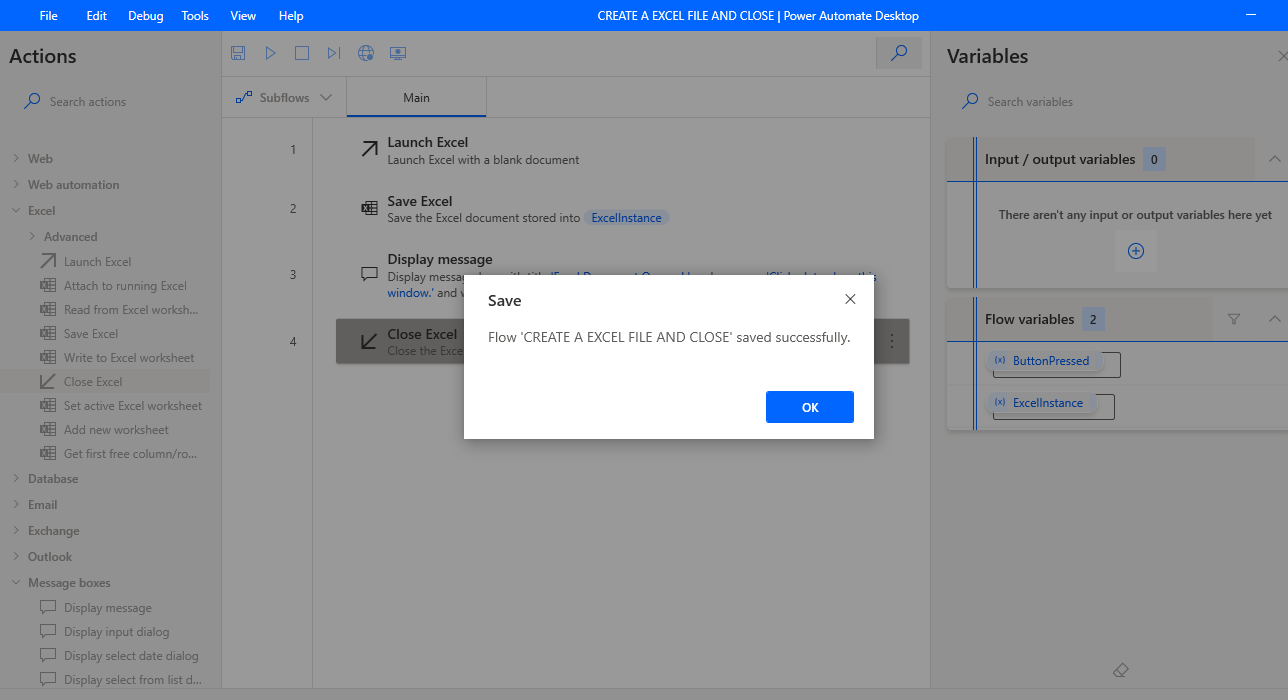
Click to Save the flow.


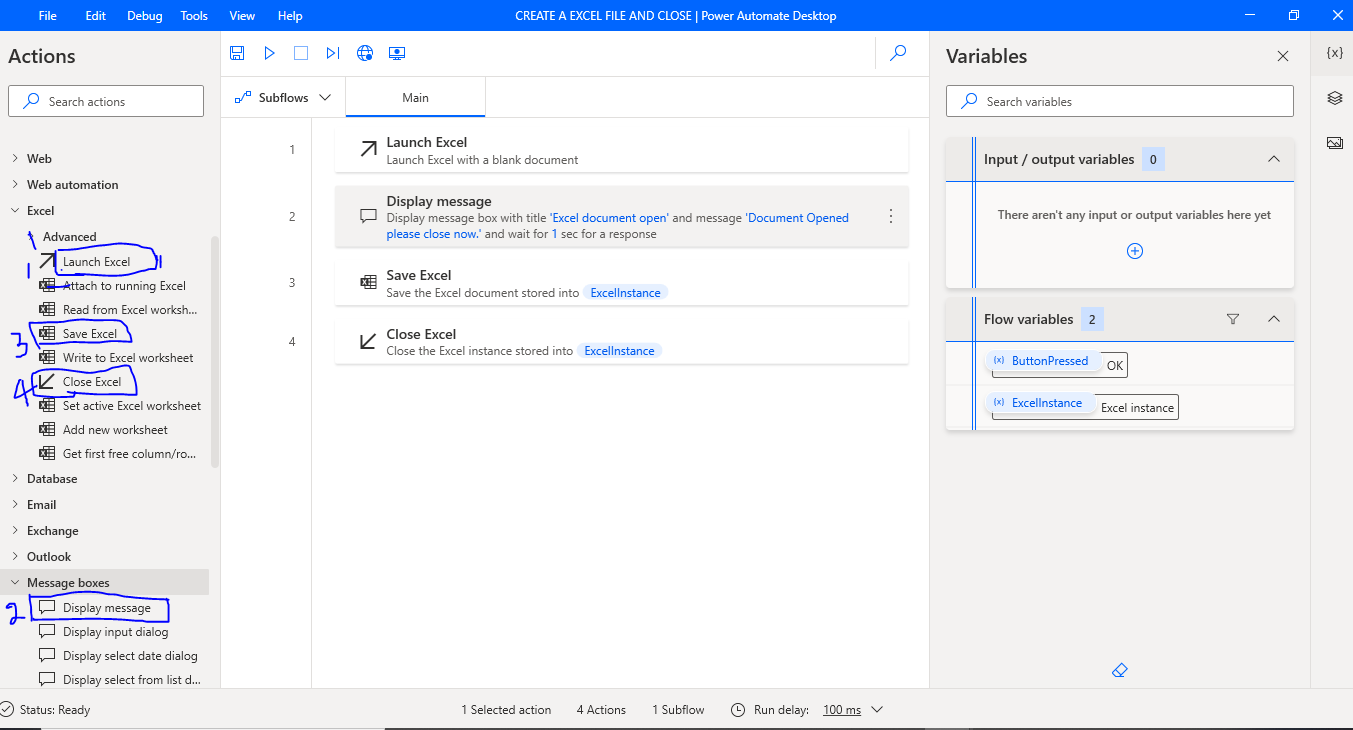
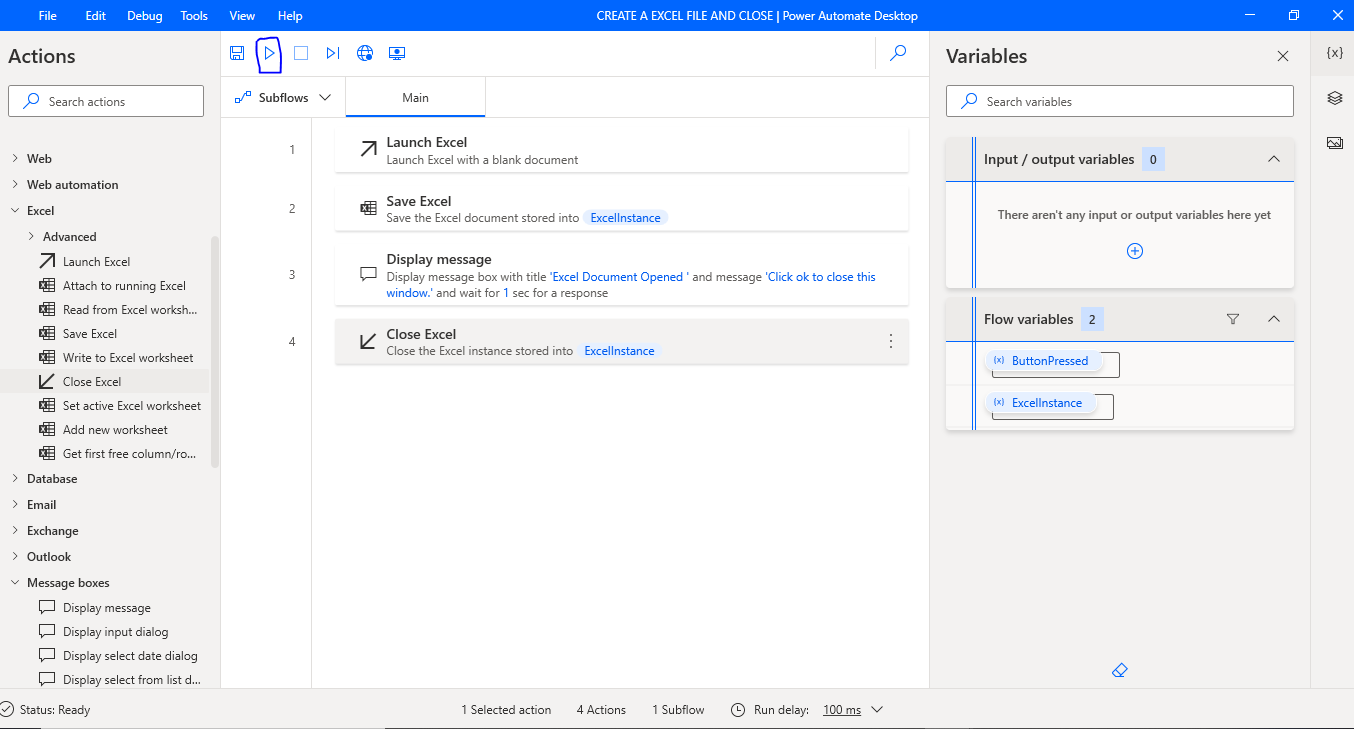
So you will see all the steps like below image:
Now you can click on play button to see the Power Automate Desktop process in action.
This is a simple PAD where you can automate to process with just click of a button.
I hope this helps.
Malla Reddy(aka UK365GUY)
Share this: