Menu Close

Category: Blog

{Enable enhanced Microsoft Teams Integration with Dynamics 365 CE Apps}

Hello Everyone,

Another lockdown in United Kingdom next Thursday and stay home and stay safe during this pandemic.

This blog post is all about how to integrate Microsoft Teams with Dynamics 365 CE Apps in more enhanced way.

Let’s gets started.

Login into Dynamics 365 Sales hub and go to Settings > Administration > System Settings

Enable the enhanced Microsoft Teams Integrations click on “yes”.

Go back to the Main Menu of Dynamics 365 Sales Hub, Click on Accounts > open any account record…
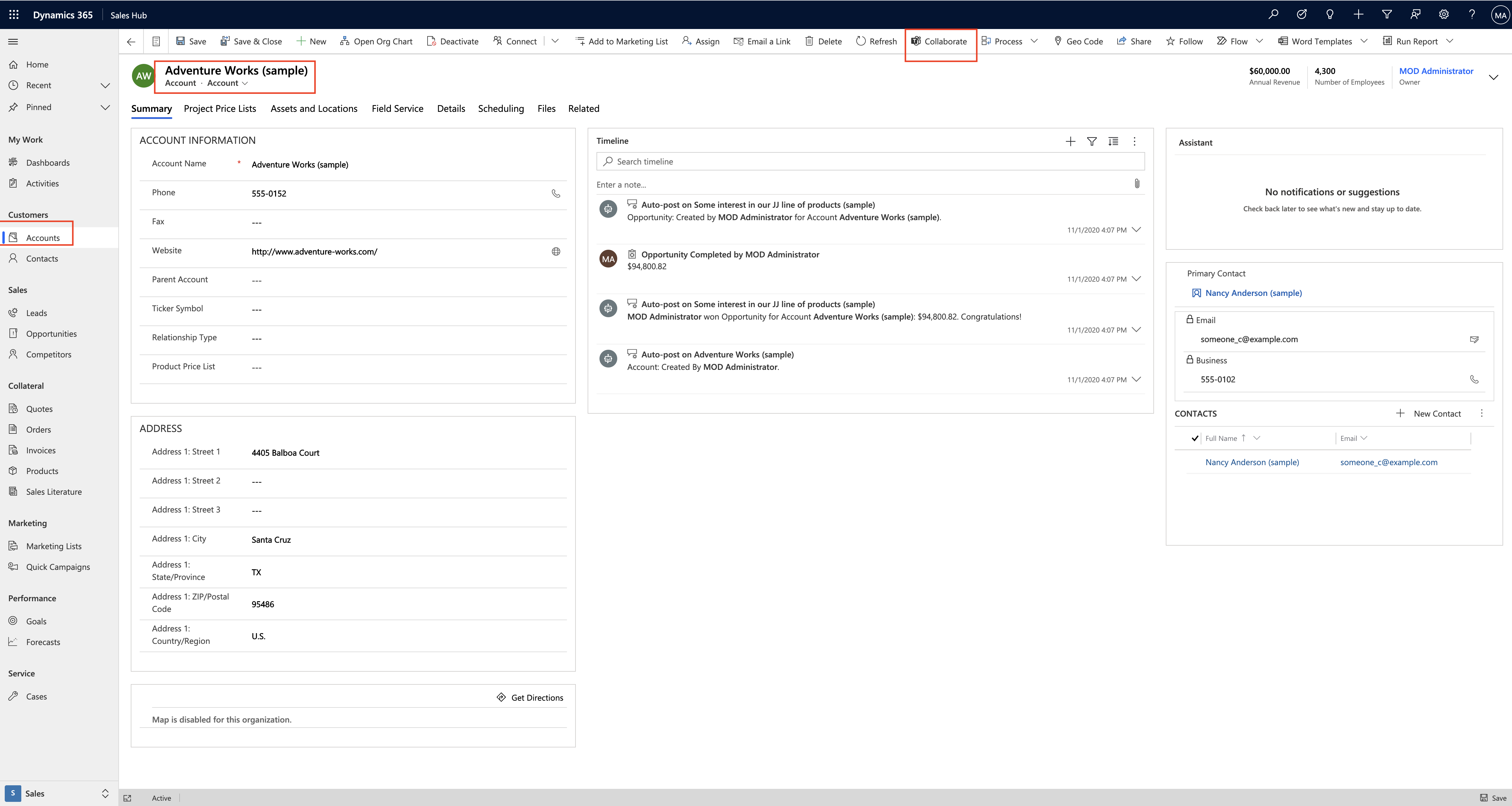
Once you open any account record click on the “collaborate” button..
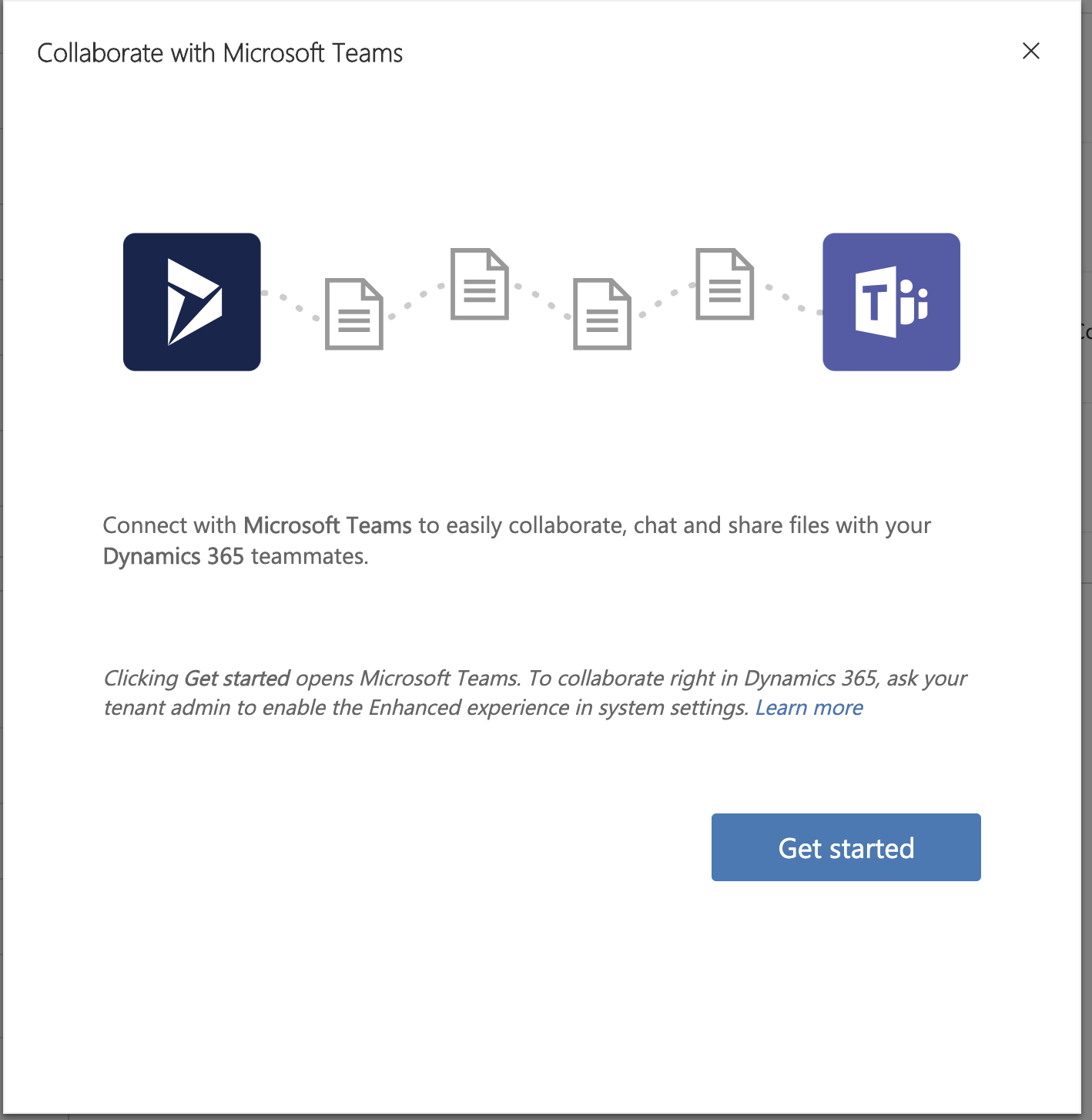
Click on the “Get started” button as shown on the screen shot..
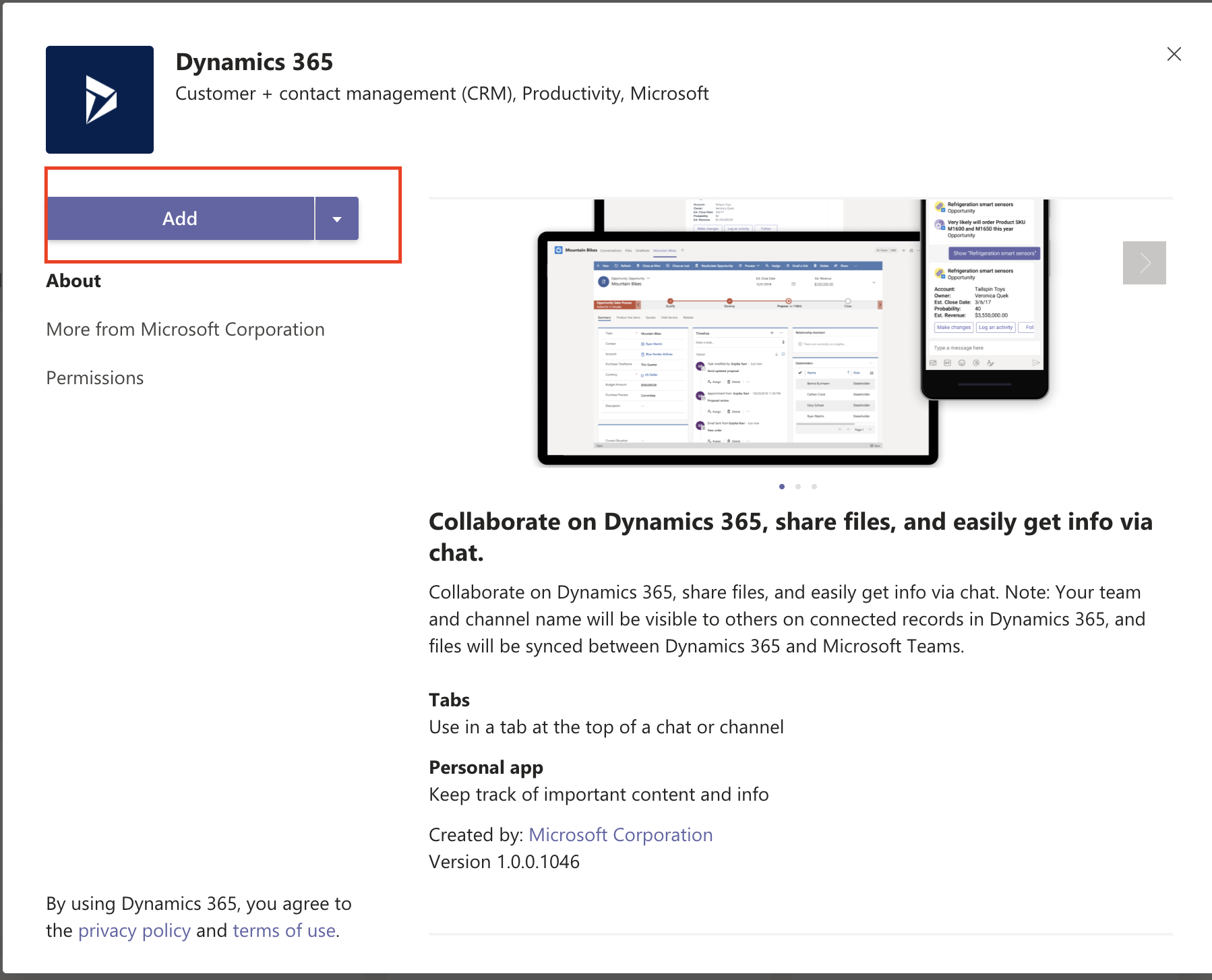
Click on the “Add” button then launch your Microsoft Teams..
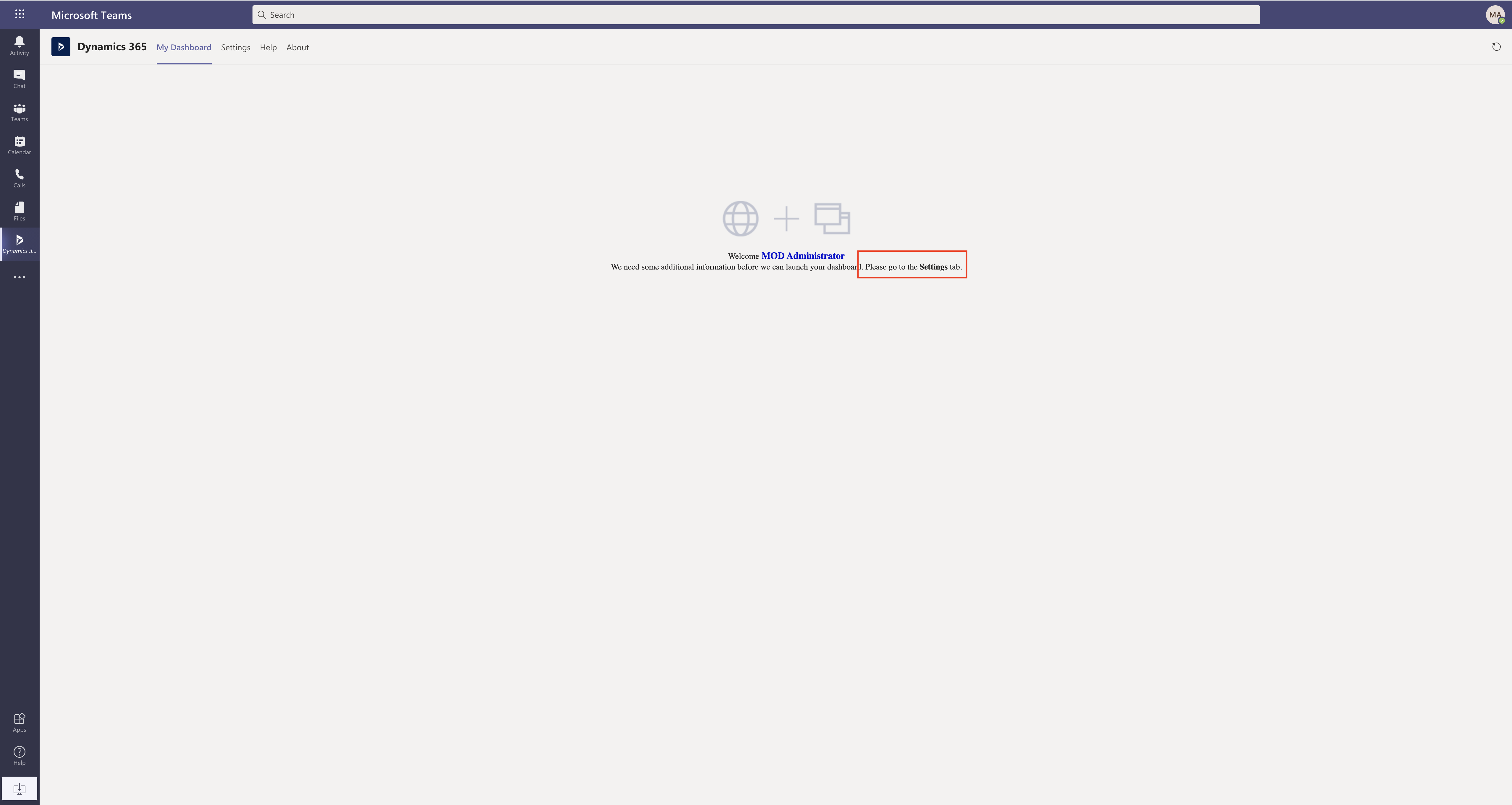
Then you will need to make some settings changes, so click on the settings tab on the “teams”, then you need to choose the environment and app you want on the Microsoft Teams from the Settings area on the Teams as below screen shots shows in detail..

Note: Choose an environment and an app. Note: Only environments that are version 9 and higher and Unified Interface apps are supported.
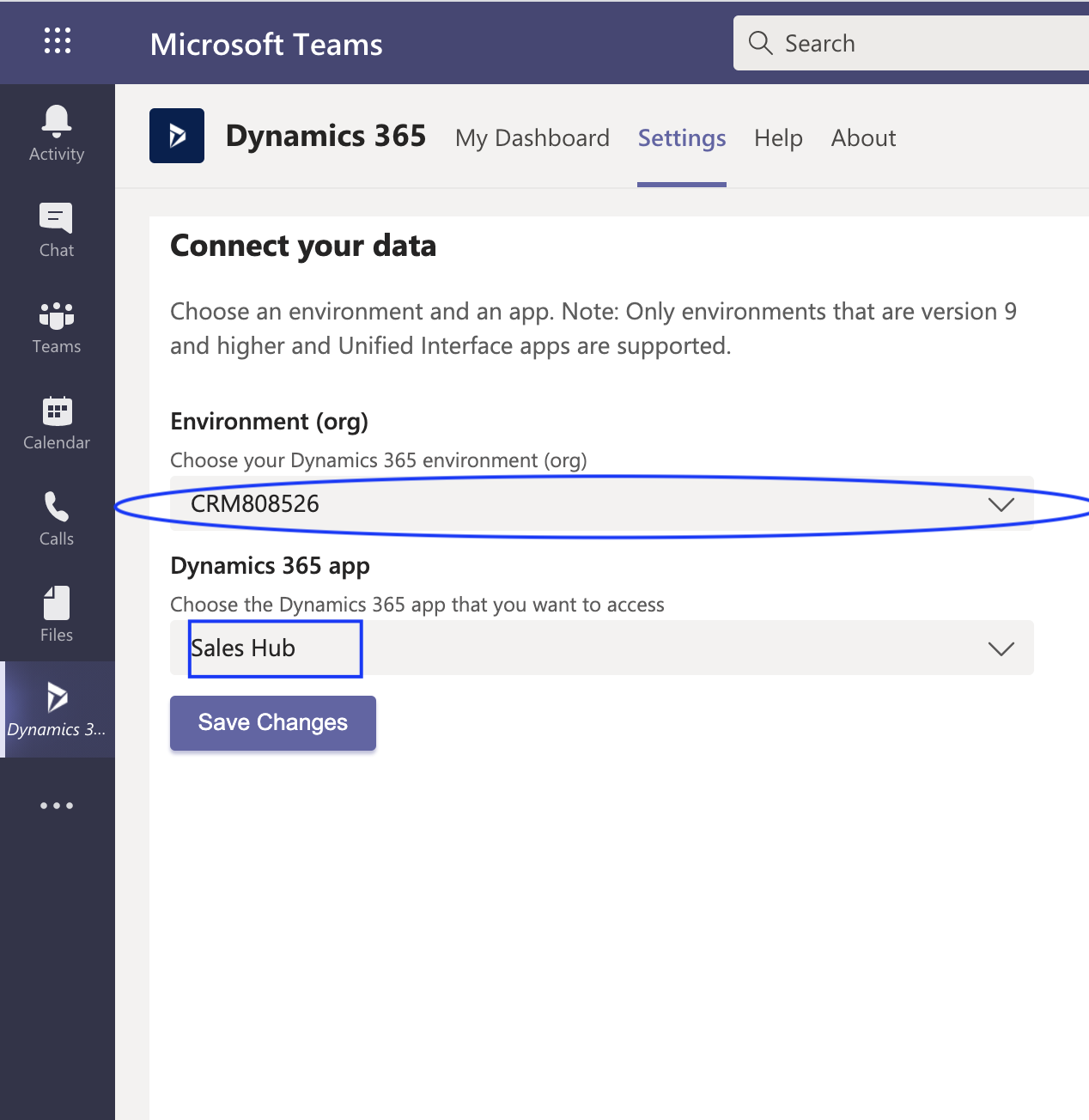
Click on “Save” Button.

Then click on the My Dashboard then you will be able to see the Dynamics 365 Sales Hub Dashboard and whole app within the Microsoft Teams itself.
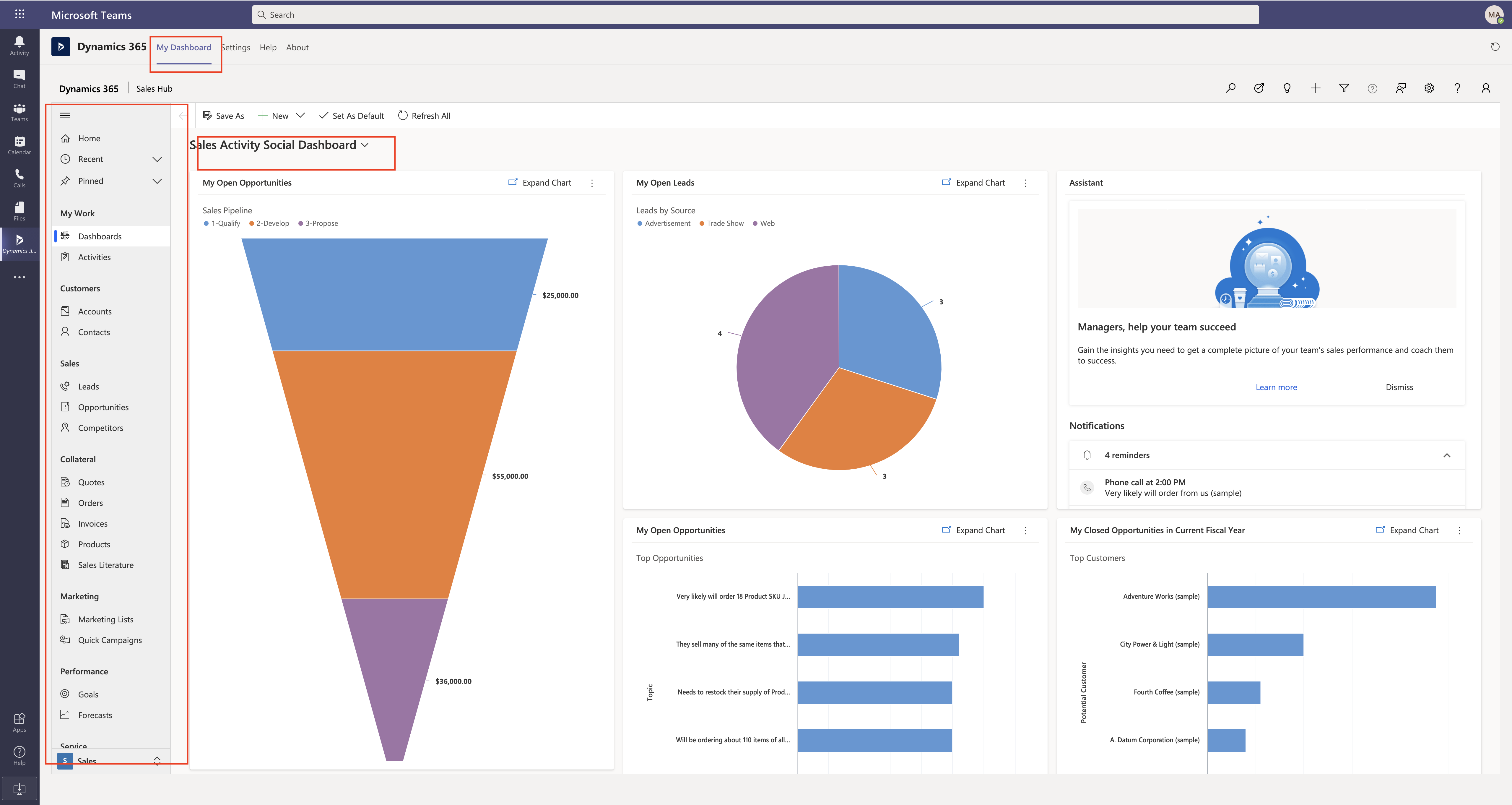
Your Dynamics 365 Sales teams can collaborate Teams, without leaving Microsoft Teams and much more from Teams itself.

I hope this helps.

Malla Reddy aka UK365GUY πŸ‡¬πŸ‡§

Share this:

{How to export records data to non editable PDF file from Dynamics 365 Sales Hub}

Hello Everyone,

Today we are going to see how to export the sales hub entities data into a non editable PDF file in Dynamics 365 Sales Hub.

Let’s gets started…

Suppose there is a requirement to export the “account” record summary from Dynamics 365 Sales Hub.

How can you achieve that without coding.. you can achieve this with some few clicks configuration for the account entity and then you are good to go..

So lets flip into action…

Open the Dynamics 365 Sales Hub..

Select the App Settings from “Change area” of bottom left of the Sales Hub.

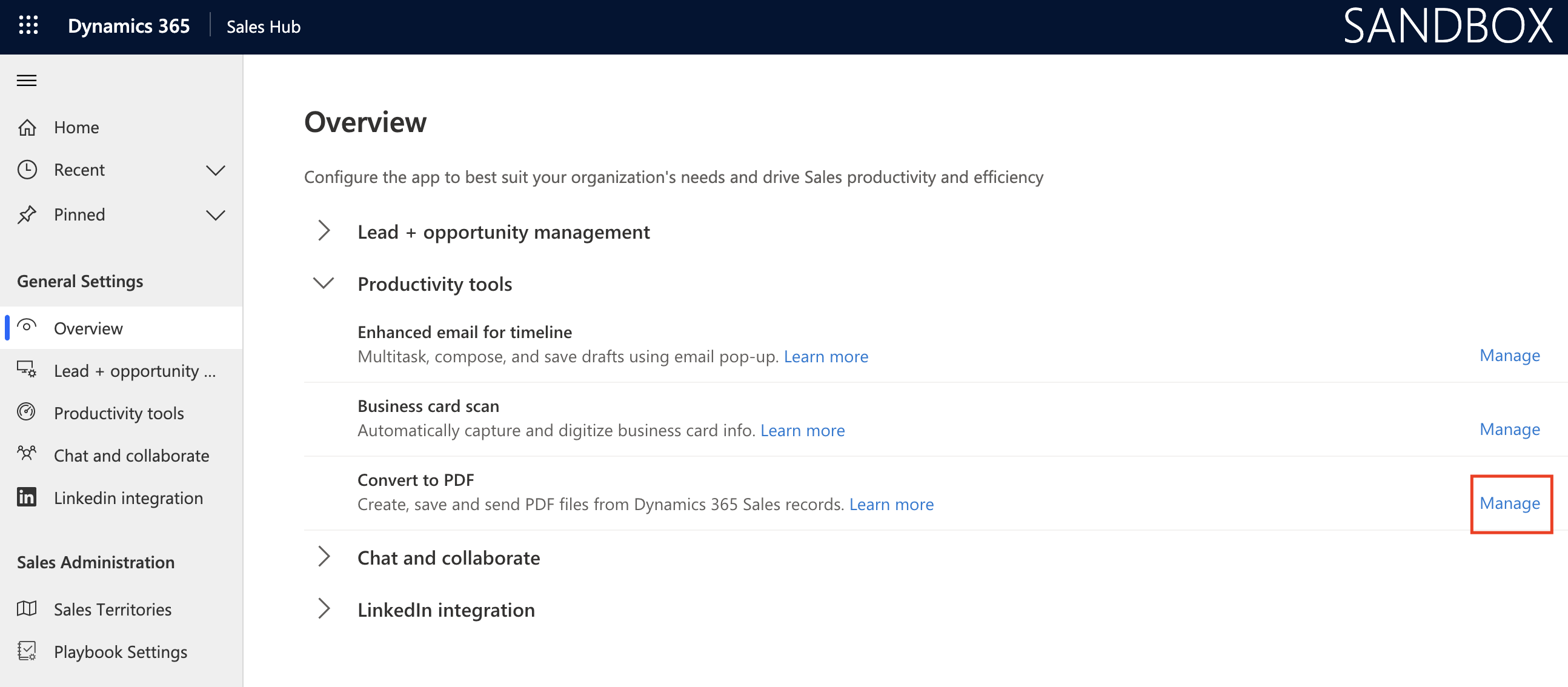
Then you are being shown with the below screen shot..

On overview page click “Manage” then you will be presented with the options of entities you can enable the “export to pdf” on entities selected from productivity tools on your Dynamics 365 Sales Hub.

Once configuration is saved then flip back to Sales area and then open the enabled record for “export to PDF”.

In this example i have enabled for account entity and i am able to export the summary as a PDF.

I hope this helps.

Malla Reddy aka UK365GUY πŸ‡¬πŸ‡§

Share this:

{Launch Dynamics 365 Apps from Power Platform Admin Center}

Hello Everyone,

Its been a while i haven’t been blogging.. Now I am back on track and trying to show something new on the power platform maker Admin Center.

Lets gets started..

Normally in the Microsoft 365 Admin Center we used to have this feature i.e launch the Dynamics 365 Apps.

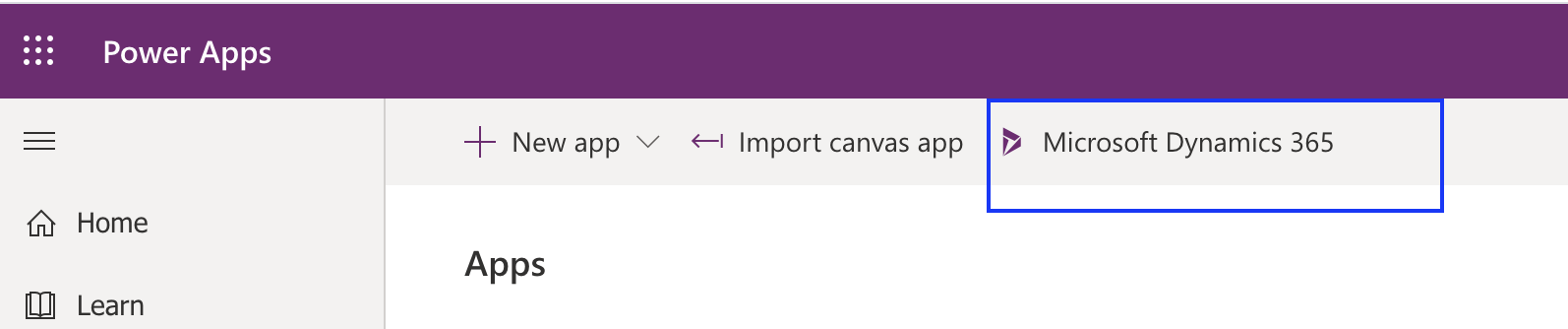
Microsoft has added this new feature as part of the streamlining the admin processes to launch all Dynamics 365 Apps from “Power Platform” make web url.

Please find the link below:

https://make.powerapps.com/environments

You can launch “Microsoft Dynamics 365 Apps” directly by clicking as shown on the above image.

Then new window will be launched.

I hope this helps.

Malla Reddy aka UK365GUY πŸ‡¬πŸ‡§

Share this:

Microsoft Business Applications Virtual Event for wave 1 release

Hello Everyone,

I hope everyone is self isolated because of COVID 19.

Please keep yourself hygiene, clean 🧼 your hands very often and keep at least 2 meters distance to combat from COVID 19 when you are out and about.

Today’s topic is about the Microsoft Business Application Virtual Event for wave 1 release.

There are about 400 new features released in this wave 1 release.

Please refer to James Philips blog post
https://cloudblogs.microsoft.com/dynamics365/bdm/2020/04/02/2020-release-wave-1-launches-with-new-apps-and-over-400-features/

Also refer to recorded virtual event and downloads from

https://mediastream.microsoft.com/events/2020/2004/BusinessApplications/player/BusinessApplications.html

Keep Learning power platform and help the Microsoft Business Applications Community.

I hope this helps.

Malla Reddy aka UK365GUY πŸ‡¬πŸ‡§

Share this:

{How to} How to create a lead scanning or uploading a business card on power platform dynamics 365 sales app

Hello Everyone,

Today i am going to show how you can quickly create a lead just uploading or scan the business card with a click of a button on Dynamics 365 Sales App.

Let’s gets started.

Scenario: Suppose you are at trade show and at your company stand and customers interested in your products or services might give you their contact details i.e business cards.

In old days you need to carry the business card to your office next morning and enter manually all your potential customer details on customer relationship management or any stand alone application.

Now with the Power Platform Dynamics 365 Sales App Business card scanner, with the click of a button all the information is auto filled.

Login into your Dynamics 365 Sales Hub App

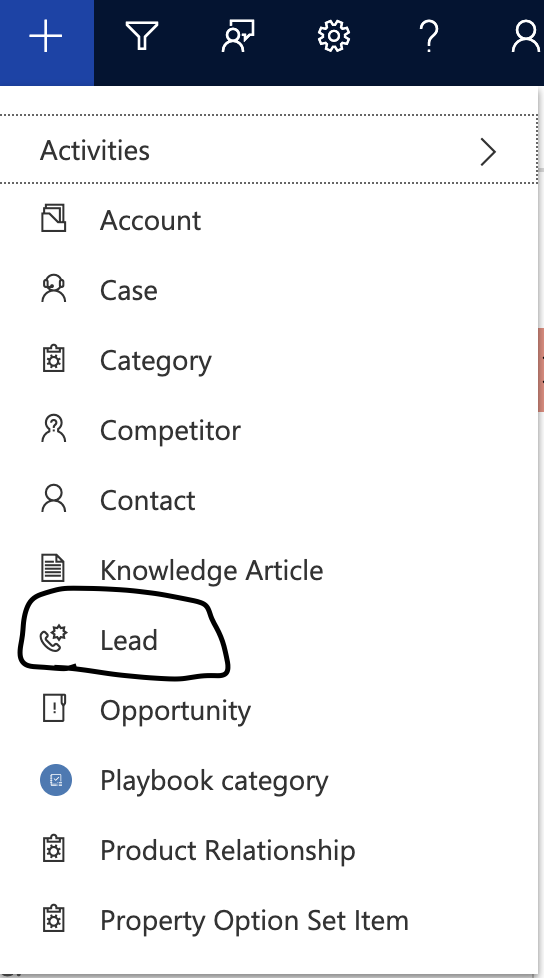
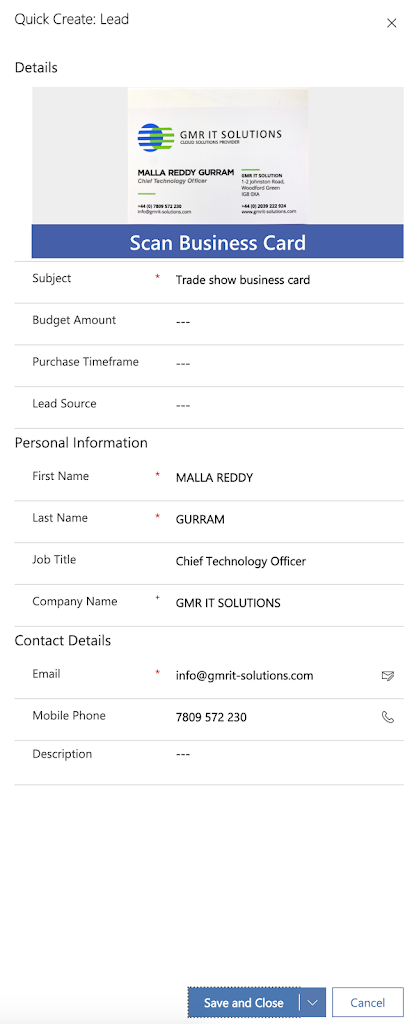
Click on the Quick create and select the “lead” entity.

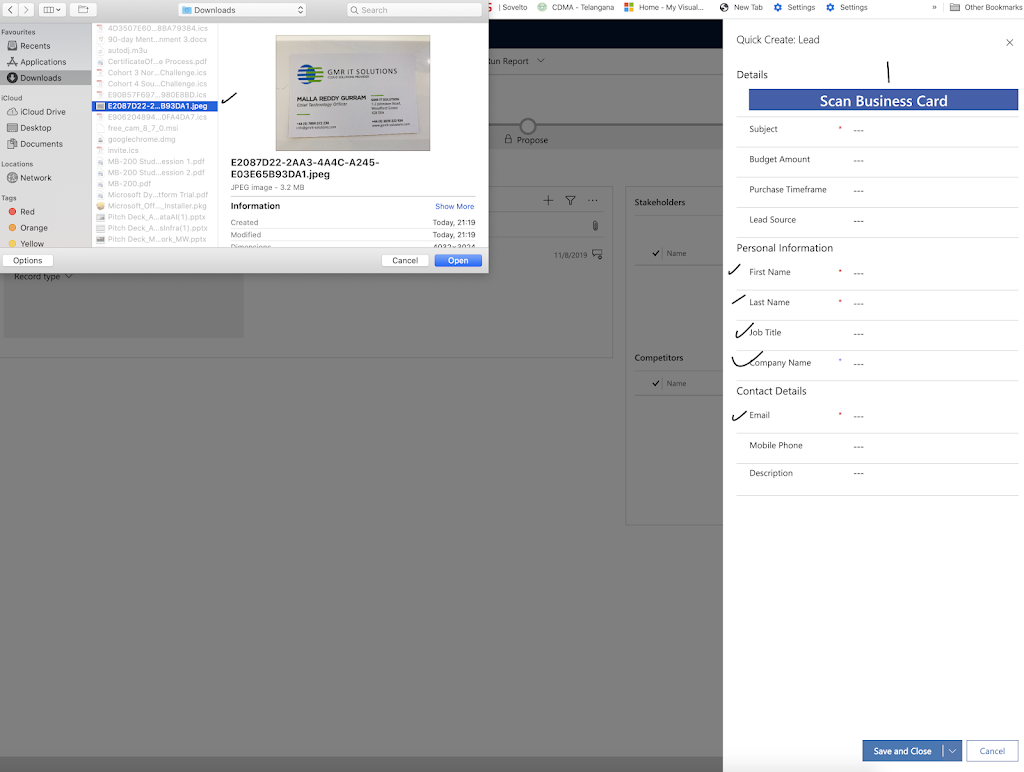
You will be presented with QUICK create form.

As you can see, i have selected the business card from my desk top and the scan business card reader with built AI functionality all the data will be scanned and auto populates, magic right? πŸ™‚

This feature is very useful for busy field sales representatives. 
I hope this helps.
For Microsoft Dynamics 365 Consultancy|Power Apps|Training|Support|Licensing|Web Hosting|Websites
Share this: