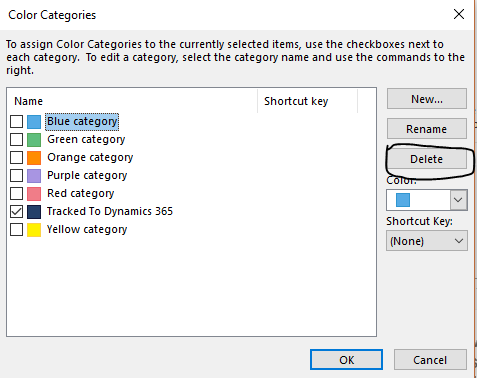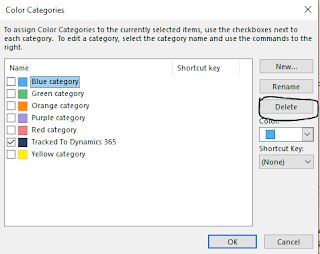
Have you heard of the categorize the emails from Outlook and Tracked in Dynamics 365?
Contact us: https://www.gmrit-solutions.com
Email: info@gmrit-solutions.com
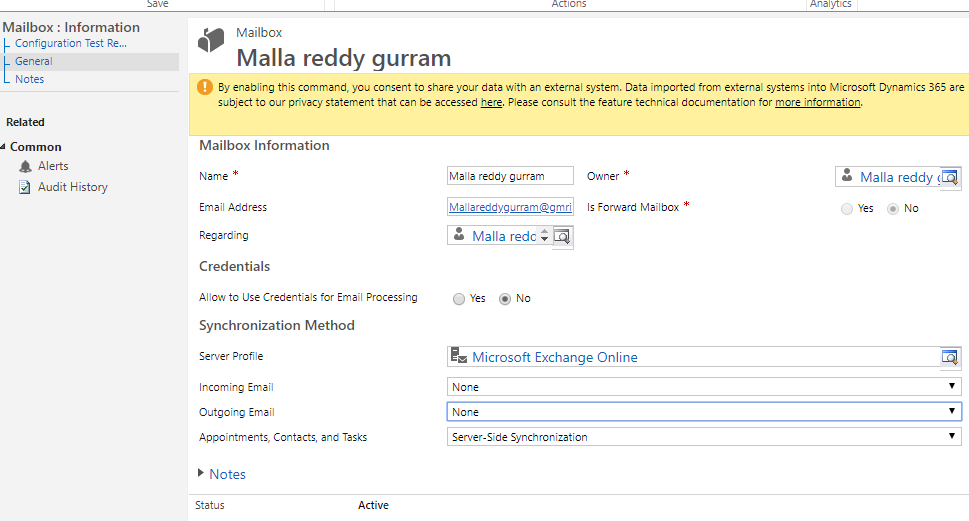
Have you heard of the categorize the emails from Outlook and Tracked in Dynamics 365?
I get a lot of request from the community on how to start learning and choose Dynamics 365 as a career.
https://gmrit-solutions.com/dynamics-365-2/
As i already stated in my previous blog post on how to learn free of the cost “Dynamics 365, Power Apps, Common Data Service.
http://mscrmgmr.blogspot.com/2019/03/microsoft-dynamics-365-free-learning.html
Check out below url and choose the right path for your future. Why wait click below link
If you still want to have instructor lead Training
Get in touch with us @ https://gmrit-solutions.com/training/
I hope this helps
For Microsoft Dynamics 365 Consultancy/Training/Support/Licensing
Contact us: https://www.gmrit-solutions.com
Email: info@gmrit-solutions.com
Today i am going to share my experience on particular situation where some of the users emails communications being tracked in dynamics, the outlook will show “Tracked to Dynamics 365” alert.
If you want to untrack emails for individual users, simply you need to make the “incoming emails to None”.
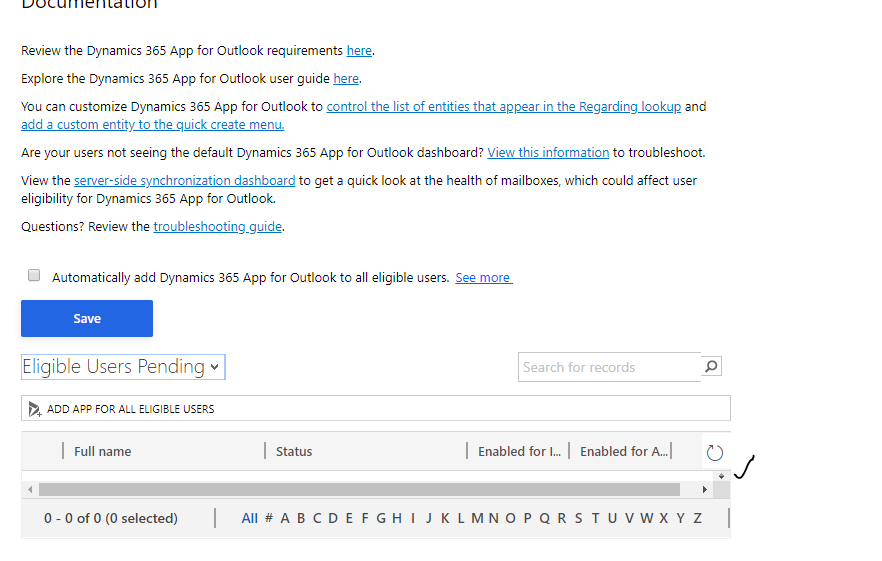
so that the users “Dynamics 365 App for Outlook will be deleted for that user.
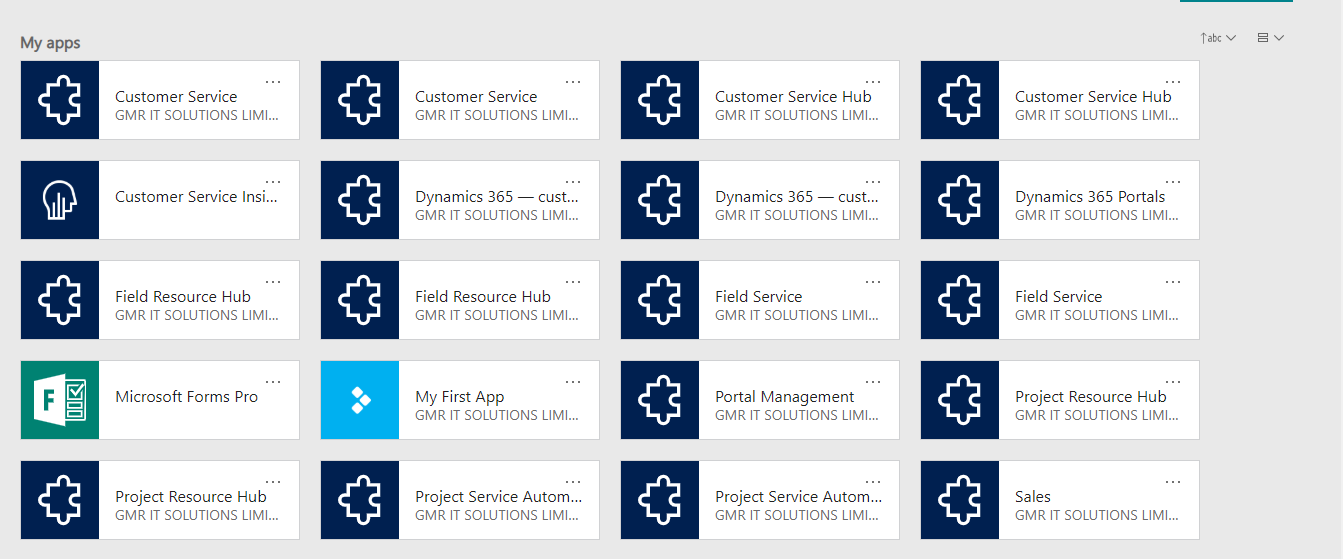
There are situations where new users are unable to login into Dynamics 365 for the first time..
Normal way of trouble shooting is to clear the cache and check proper security roles are assigned, proper license is assigned to the user, proper security is assigned in the Office 365 admin area.
Still if the user still unable to login into Dynamics 365 ?
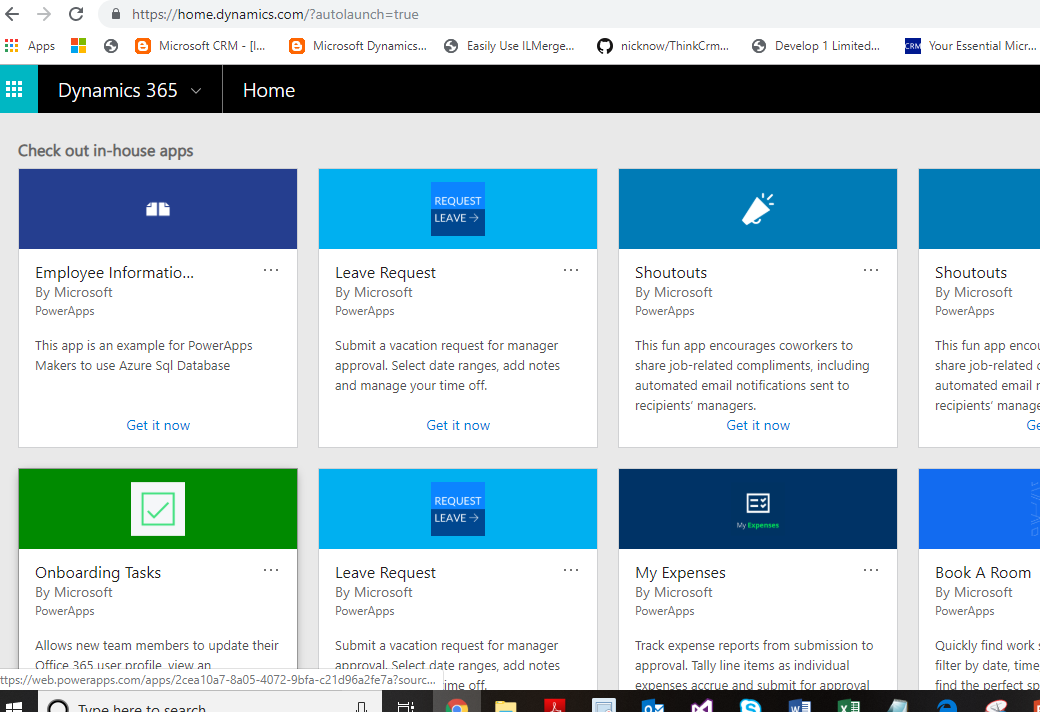
Then Global Administrator/ System administrator login into Admin area and follow below instructions
After investigating, the issue was resolved by selecting the ellipsis, on the custom Dynamics 365 app, and selecting show for all roles, as it was set to hidden for all roles.
I hope this helps..
For Microsoft Dynamics 365 Consultancy/Training/Support/Licensing
Contact us: https://www.gmrit-solutions.com
Email: info@gmrit-solutions.com
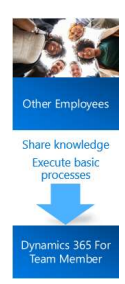
Today i am going to share on how the Microsoft Dynamics 365 Team Member License capabilities.
let’s gets started.
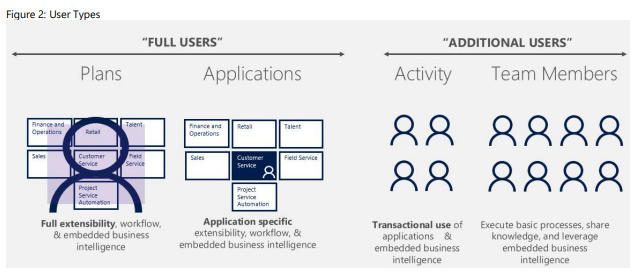
As you all know understanding the Microsoft Dynamics 365 Licensing Model needs some understanding on how the Full Access Users and Additional Users.
So for now i want to touch base on the Team Member Licensing and upcoming post includes full licensing model,
As many of our customers want to save some bucks on the licensing as some users act like light users( reading only some in most cases and accessing the activities).
Full Users: Full Users are the users who use full extent of the Dynamics 365, Customer Engagement, Finance & Operations. These full users are licensed with a Dynamics 365 Plan or Dynamics 365 Application Subscription.
Additional Users: Users who consume the data and reports from line of business systems.
They are complete light weight users who do tasks like time or expense entry and HR record Updates or be heavier users of the system, but not require full user capabilities.
These additional users are licensed with Dynamics 365 Team Members or Dynamics
365 Operations – Activity SL for Dynamics 365 for Talent and Dynamics 365 for Retail
subscriptions.
The Dynamics 365 Team Members subscription is a named user subscription
designed for users who are not tied to a particular function, but who require basic
Dynamics 365 functionality. This license entitles the user to light weight access
through designated scenarios built into Team Members experience. The Team
Members subscription does not provide access to custom applications and is not
intended for scenarios.
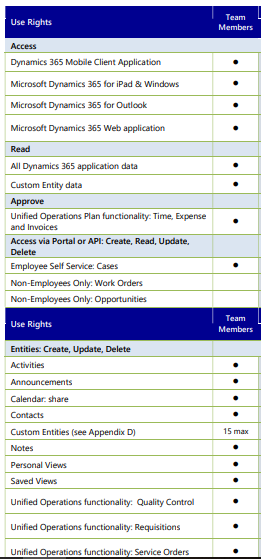
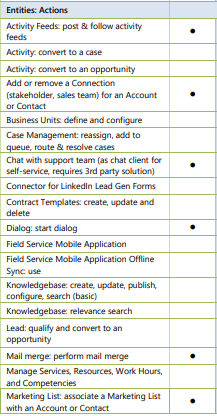
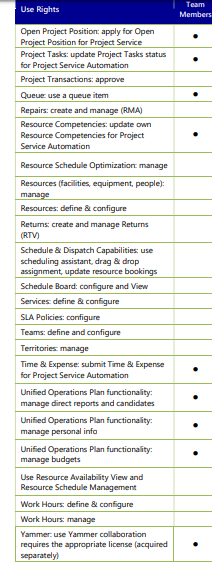
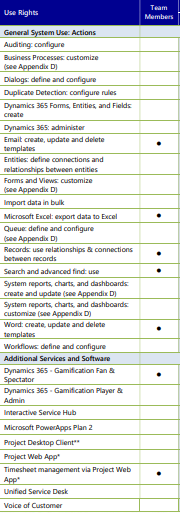
The Dynamics 365 Team Members User SL grants a user access to participate in a limited specific set of functionalities, as defined below, from the applications and plans.
Dynamics 365 Team Member use rights for Dynamics 365 Customer Engagement Plan Applications
The Team Members User SL grants a user the following Dynamics 365 for Sales, Dynamics 365 for
Customer Service, Dynamics 365 for Field Service,
or
Dynamics 365 for Project Service Automation
rights for their own use and not for, or on behalf of, other individuals:
(i) Create, view, update, and delete contacts, activities, tasks, and notes access to contacts,
activities, tasks and notes
(ii) Record time and expense for Dynamics 365 for Project Service Automation, and apply for
projects
(iii) Update personal employee information
(iv) User reporting and dashboards
(v) Participate as an end-consumer of Dynamics 365 services such as responding to surveys
(vi) A Team Members application module may not be customized with more than 15 custom
entities available to the Dynamics 365 Team license*
see further on how the queue items managed