Menu Close

Category: Blog

Inventory Management in Field Service.

Hi Everyone,

Today i am going to share some thoughts around the Inventory Management in Field Service.

Often organisation handle the invoices in ERP systems and process back to field services with the integration service.

Organisations should have answer under what circumstances workflow will trigger the invoices and how you are going to handle inventory reductions.

Either invoices can be handled in ERP system or in the Field Service or transferred over from ERP to Field Service, or integrated billing directly from the application or processing the returns or purchase orders. so these questions to be answered properly so there might be a integration services to serve back office systems.

So the following objectives are important in Inventory Management:
1. Customer Assets
2. Purchasing Process
3. Manage Adjustments and Transfers
4 .Handling Returns.

Customer Assets:
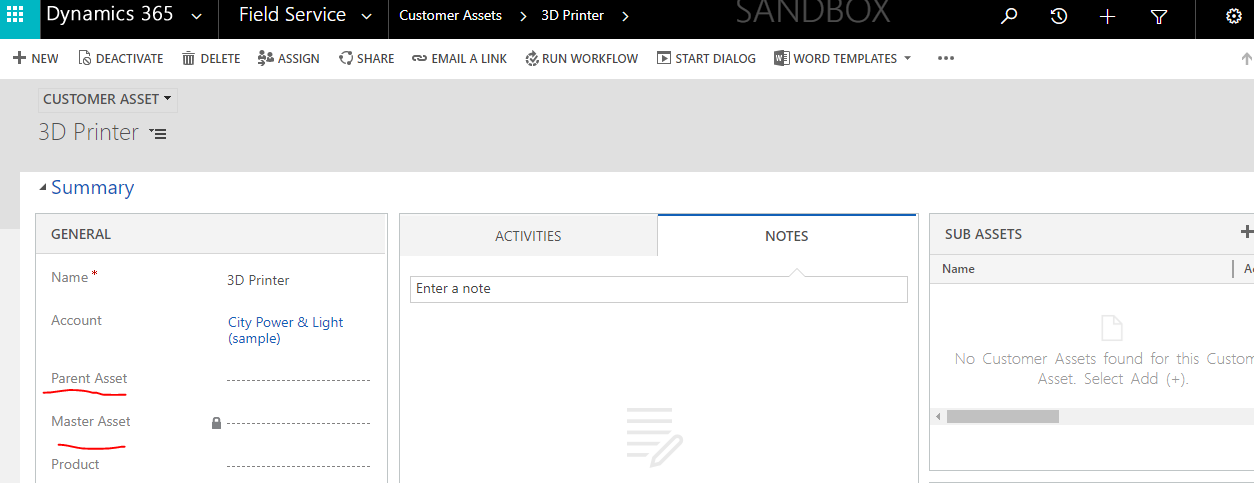

List serviceable items related to a service location.

When you create and maintain a list of serviceable items, you can:
Record specific information about the item.
Create a historic log of all of the work orders that are related to the item, which gives you a complete service history for the item.

Assets can be created manually or auto added to a service location.

Product can be set to auto-create Customer Assets when Work Order is closed.

Work Orders can be associated with specific Customer Assets(ex.preventative maintenance)

1. Can be associated with a specific customer
2. A single asset can have multiple child assets
3. Used as a foundation for registering IOT devices in the Connected Field Service Solution.

I hope this helps.
For Microsoft Dynamics 365 Consultancy/Training/Support/Licensing
Contact us: https://www.gmritsolutions.co.uk
Email: admin@gmritsolutions.co.uk
Share this:

Points to remember regarding the agreements in Field Service.

Hi Everyone,

Important points to remember about the agreements.

A single agreement can have numerous agreement schedules, like create an agreement and can have multiple booking for that agreement.

The agreement price list specifies the price of all products and services related to an agreement.

Work orders generated from an agreement provides  can still be edited at the work-order level.

Agreements are extremely useful when you want to automatically create work orders on a schedule.

Agreements can be associated with Quotes, Orders and Opportunities.

A single agreement can have numerous agreement schedules tied to it.

I hope this helps.
For Microsoft Dynamics 365 Consultancy/Training/Support/Licensing
Contact us: https://www.gmritsolutions.co.uk
Email: admin@gmritsolutions.co.uk
Share this:

Settings Up and Defining Invoices in Field Service.

Hi Everyone
Today i am going to discuss how the invoices can be auto generated on the predefined schedule.
Lets get started.
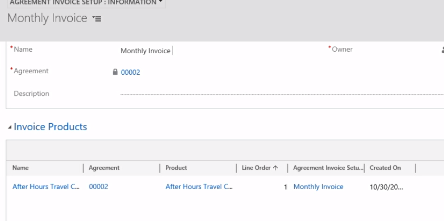
The Invoices can be added to auto -generate on a predefined schedule.
When setting up agreement the product line items can be added to populate automatically when invoices are created.
The invoices can be setup as one time or on a recurring schedule.
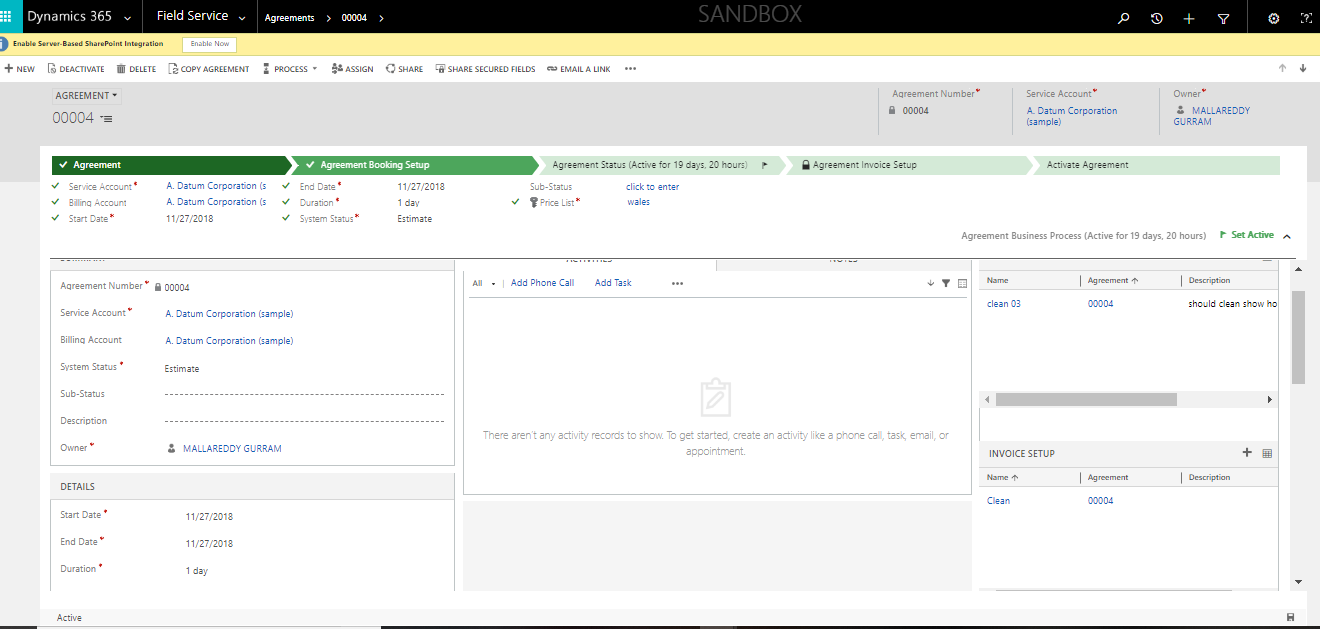
Go back to the Agreement record as you can see now the agreement is defined booking setup defined and finally invoice setup has been defined.
I hope this helps.
For Microsoft Dynamics 365 Consultancy/Training/Support/Licensing
Contact us: https://www.gmritsolutions.co.uk
Email: admin@gmritsolutions.co.uk
Share this:

Microsoft Dynamics 365 for Marketing for SMB’s on Contacts based pricing

Hi Everyone,
Today i am going to discuss on the Microsoft Dynamics 365 for Marketing Module Pricing based on the Contacts usage.
Let’s get started.
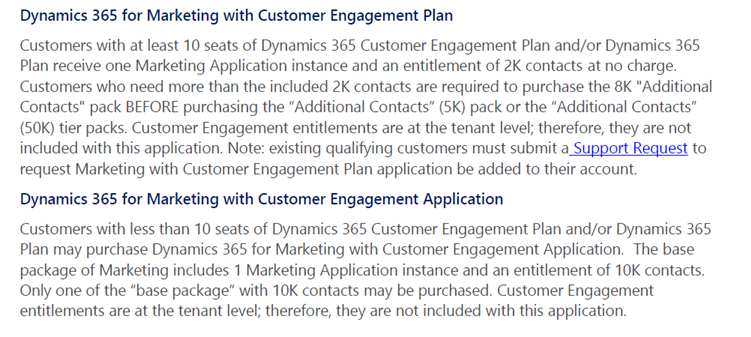
Please find the information about the revised Microsoft Dynamics 365 Customer Engagement & Marketing application price.

From the above image Option 01:
For example:  if you purchase Microsoft Dynamics 365 Customer Engagement Plan with 10 Subscription Licenses then the Marketing Application is included with 2k contacts, any additional contacts you use could incur cost.
Microsoft Dynamics 365 Customer Engagement 10 Licenses: 10*86.70 = £860.70 per month(Marketing Application included with 2k contacts).
 Option 02 from Image Above:
For example: If you purchase Microsoft Dynamics 365 Customer Engagement Plan with 5 Subscription Licenses then the Marketing Application should be purchased with 10k contacts.
Microsoft Dynamics 365 Customer Engagement 5 Licenses: 5*86.70 = £433.50 per month
+
Microsoft Dynamics 36 for Marketing: Per Organisation Per Month: £565.60 (with 10k contacts included)
So total cost for Option 02: £433.50 + £565.60 = £999.10 per Month.


I hope this helps.
For Microsoft Dynamics 365 Consultancy/Training/Support/Licensing
Contact us: https://www.gmritsolutions.co.uk
Email: admin@gmritsolutions.co.uk
Share this:

What are Agreements in Microsoft Dynamics 365 Field Service

Hi Everyone,

Today i am going to discuss about the Agreements in Field Service.

So lets get started.

What is Agreement in Field Service:
An Agreement is a contract with the customer, what needs to be performed under what contract.

1) Agreement is a Framework for automatically generating Work Orders and Invoices.
2) Can have a recurring schedule for a period of time
 – Example: Monthly inspection for two years

3) Can be used to define multiple schedules in a single agreement

4) Ideal for items like preventative maintenance

For example : there is a requirement to landscaping the garden.

So for that there should be an Agreement.

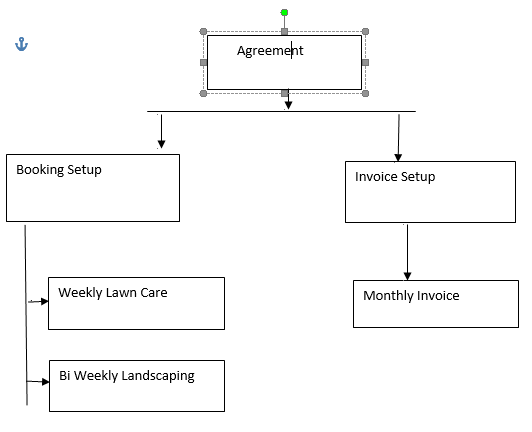
A single Agreement can have multiple booking setups defined.

– Once a week schedule someone to go out and provide lawn care.

-Every two weeks scheduling someone to go out and provide weekly landscaping such as hedge        pruning.

– Once a month clean windows and exterior services.

Finally Invoice once a month that invoices for all service provided.

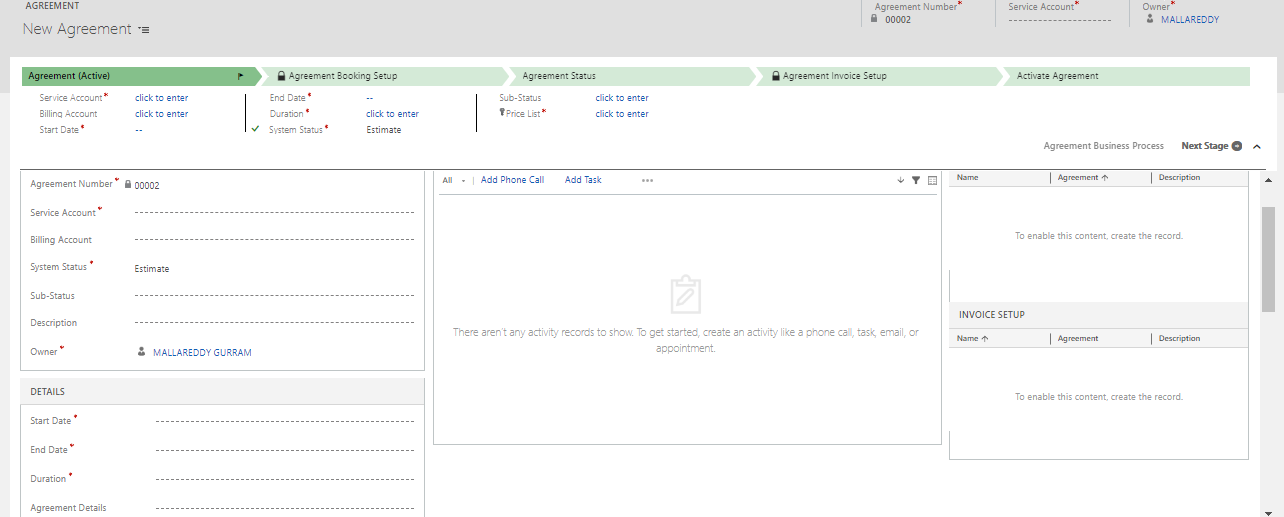
Below is the Agreement record image:

An Agreement record should have following field values in order to agree a contract with a customer.
Service Account and Billing Account
Start & End Date of Agreement
Duration of Agreement
System Status & Sub Status
Price List: what is the price for the agreement.
Service Territory: what is the territory.
Taxable

There are Booking setups and Invoice setups on the Agreement record where you can define what are the bookings and Invoice setups can be scheduled to where the work orders and bookings created in the system.

Let me show how to create an Agreement on the Field Service.
Go to Dynamics 365 > Field Service > Agreements

I hope this helps.
For Microsoft Dynamics 365 Consultancy/Training/Support/Licensing
Contact us: https://www.gmritsolutions.co.uk
Email: admin@gmritsolutions.co.uk
Share this: