Menu Close

Category: Blog

C# SAMPLE EXAMPLE

C# example class, enum, properties, private methods, public methods, salary calculation example..

using System;
using System.Collections.Generic;
using System.Linq;
using System.Text;
using System.Threading.Tasks;

namespace ClassDemo
{
    class Program
    {
        static void Main(string[] args)
        {
            Employee tony = new Employee();
            tony.Income = 150000;
            tony.YearsOfService = 2;
            tony.SetRating(Employee.Rating.poor);
            tony.CalculateRaise();
        }
    }

    public class Employee   // new class employee
    {
        public enum Rating   // constant
        {
            poor,
            good,
            excellent
        }

        private Rating rating;  // private member variable type rating

         
// public properties member varibale income type income, a class can have properties
 public double Income { get; set; }

// public properties  memeber variable type yearofservice

        public int YearsOfService { get; set;} 

 // method setrating within a class. we have private variable rating & parameter rating
        public void SetRating(Rating rating) 

        {
            this.rating = rating;
        }

        public void CalculateRaise()
        {
            double baseRaise = Income * .05;
            double bonus = YearsOfService * 1000;
            Income = Income + baseRaise + bonus;

            switch(rating)
            {
                case Rating.poor:
                    Income -= YearsOfService * 2000;
                    break;
                case Rating.good:
                    break;
                case Rating.excellent:
                    Income += YearsOfService * 500;
                    break;
            }
            Console.WriteLine($”New income is {Income}”);
        }
    }

}
Share this:

MICROSOFT DYNAMICS 365 ON-PREMISE AND ONLINE INSTALLATION GUIDE

Here is the Microsoft Dynamics 365 On Premise and Online Installation Guide.

https://www.microsoft.com/en-us/download/details.aspx?id=50039

I hope this helps:

We are Microsoft Partner, Scribe Partner  provide solutions and services for small companies and SMB’s in the UK and Europe 

Please contact us, if you need any of our  following  Services:
Microsoft Dynamics CRM/ 365 Licences 
Development work of Dynamics 365/CRM
Microsoft Dynamics CRM Customizations and Configurations.
Extending CRM Application
Support of existing application
Integration work related to crm and any third party applications.
User Trainings.
Short piece of work.

Our Rates very much affordable Prices,  Please get in touch @ admin@gmritsolutions.co.uk

Share this:

MICROSOFT DYNAMICS 365 FIELD SERVICE MANAGING INVENTORY & PROCESSING RETURNS

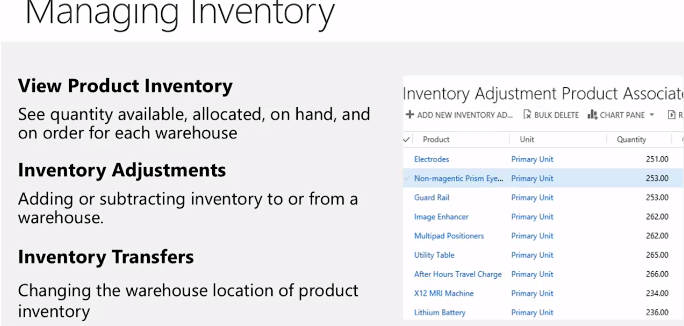
MANAGING INVENTORY


Processing Returns

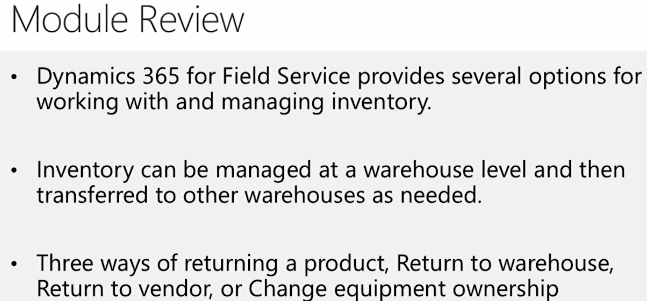
1)Three ways of returning a product.
 a)Return to warehouse
 b) Return to vendor
 c)Change equipment ownership

2)All product returns are initiated with an RMA.
3)A return is not finalized until  an RMA receipt is created.

Things to Consider

1) Many implementations may include requirements for integrations with back office applications for
    inventory management.
2) Consider how this is going to work with your implementation.


MANAGING INVENTORY  IN FIELD SERVICES OVERVIEW


Share this:

MICROSOFT DYNAMICS 365 FIELD SERVICES INVENTORY AND PURCHASING

Inventory and Purchasing 

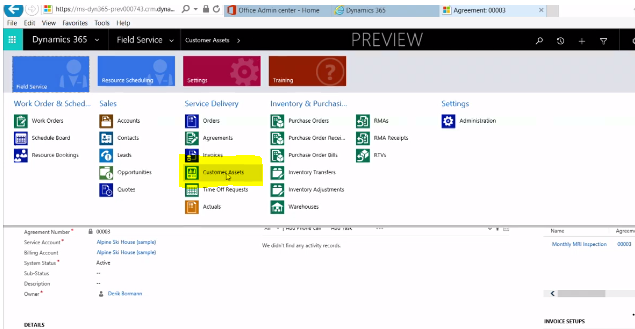
1)Review how Customer Assets are used
2)Purchasing in Field Service
3)Managing Adjustments and Transfers
4)Handling Returns.

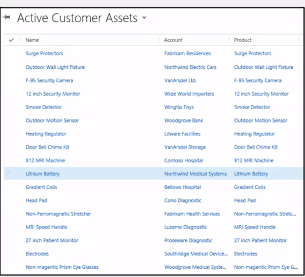
 Customer Assets


1) List serviceable item related to a service location.
2)When you create and maintain a list
   of serviceable items, you can :
  a) Record specific information about the item.
   b)Create a historic log all of the work orders that are related to the item,
      which gives you a complete service history for the item.
   
3)Assets can be created manually or auto Added to a Service Location.


Share this: