Menu Close

Category: Blog

Engagement Optimization and increase conversion rates with email A/B testing

Hello Everyone,

Today I am going to share my thoughts on Dynamics 365 Customer Insights A/B testing to improve conversion rate and increase optimize engagement.
Let’s get’s started.

Certainly! Let’s dive into how you can optimize engagement and boost conversion rates using email A/B testing in Dynamics 365 customer insights.

1. What is Email A/B Testing?

Email A/B testing, also known as split testing, allows you to compare and test variations of your emails on the different subsets of recipients. By analyzing how these variations perform, you can determine which version resonates better with your audience.

2. How Does it work?

In real time customer journeys, you can create alternate versions of your emails by changing elements such as:

Subject lines

Email body content

From addresses

These variations are labelled as Version A and Version B.

3. Settings Up and A/B Test:

Here’s how you can set up an A/B test for your emails:

Create your control design (Version A), Which represents the original email.

Then create Version B, where you make a small change (e,g., altering the subject, body, or from address).

Each A/B test focuses on a specific type of change.

You can preview and test-send both versions.

4. Identifying a Winner:

After sending the A/B test emails, analyze the results:

Open rates

Click through rates

Conversion rates

Based on the performances, easily identify a winner.

5. Benefits:

By optimizing your email content, you can:

Increase engagement

Improve conversion rates

Tailor messages to your audiences.

Remember, A/B testing helps you fine-tune your email campaigns and deliver more effective messages.

That’s it for today.

I hope this helps.

Malla Reddy Gurram(@UK365GUY)
#365BlogPostsin365Days

Share this:

{How to} Double Opt in to improve engagement and compliance in Dynamics 365 Customer Insights

Hello Everyone,

Today I am going to share my thoughts on Improve engagement and compliance with double opt in Dynamics 365 Customer Insights.

Let’s get’s started.

Double Opt-in is a valuable too for email marketing within Dynamics 365 Customer Insights. Let’s dive into the details.

1. Business Value;

Double opt-in ensures a high-quality, engaged subcribers base by requiring users to confirm their subscription through a follow-up emial.

It reduces spam complaints, bounce rates and enhances sender reputation.

Compliance with data protection regulations is supported.

2. Feature Details:

Administrators can enable double opt-in at a compliance profile level.

Easily enforce double opt-in flow for all forms using the compliance profile.

Use familiar concepts like triggers and journeys to orchestrate the double opt-in process, customizing it to meet your business needs.

New contacts(or leads) won’t be created until the customer confirms their opt-in keeping your lists free of bad data.

Stay compliant with privacy and data protection laws by using this functionality/

Remember, implementing double opt-in can lead to increased open and click through rates, ultimately enhancing the overall brand experience for subscribers.

That’s it for today.

I hope this helps.
Malla Reddy Gurram(@UK365GUY)
#365BlogPostsin365Days

Share this:

{Do you know} Show records enabled for unified routing in inbox Dynamics 365 Omnichannel

Hello Everyone,

Today I am going to share my thoughts on how to show records enabled for unified routing on Dynamics 365 Omnichannel.

Let’s get’s started.

Certainly! In Dynamics 365 Omnichannel, you can now view records enabled for unified routing directly in the inbox. This new feature allows agents to manage their workload more efficiently by having a centralized view of various types of records alongside other customer interactions.

Here are the key details:

1. Business Value:

Help your agents increase productivity by allowing them to work on unified routing-enabled records within the same inbox where they handle cases, emails, voicemails asynchronous chats, live chats, and voice calls.

2. Feature Details:

The inbox now displays records enabled for routing, such as leads, appointments, or tasks.

Administrators can configure inbox views specifically for these routing-enabled records.

Agents can seamlessley manage their workload without switching between different interfaces.

That’s it for today.

I hope this helps.

Malla Reddy Gurram(@UK365GUY)
#365BlogPostsin365Days

Share this:

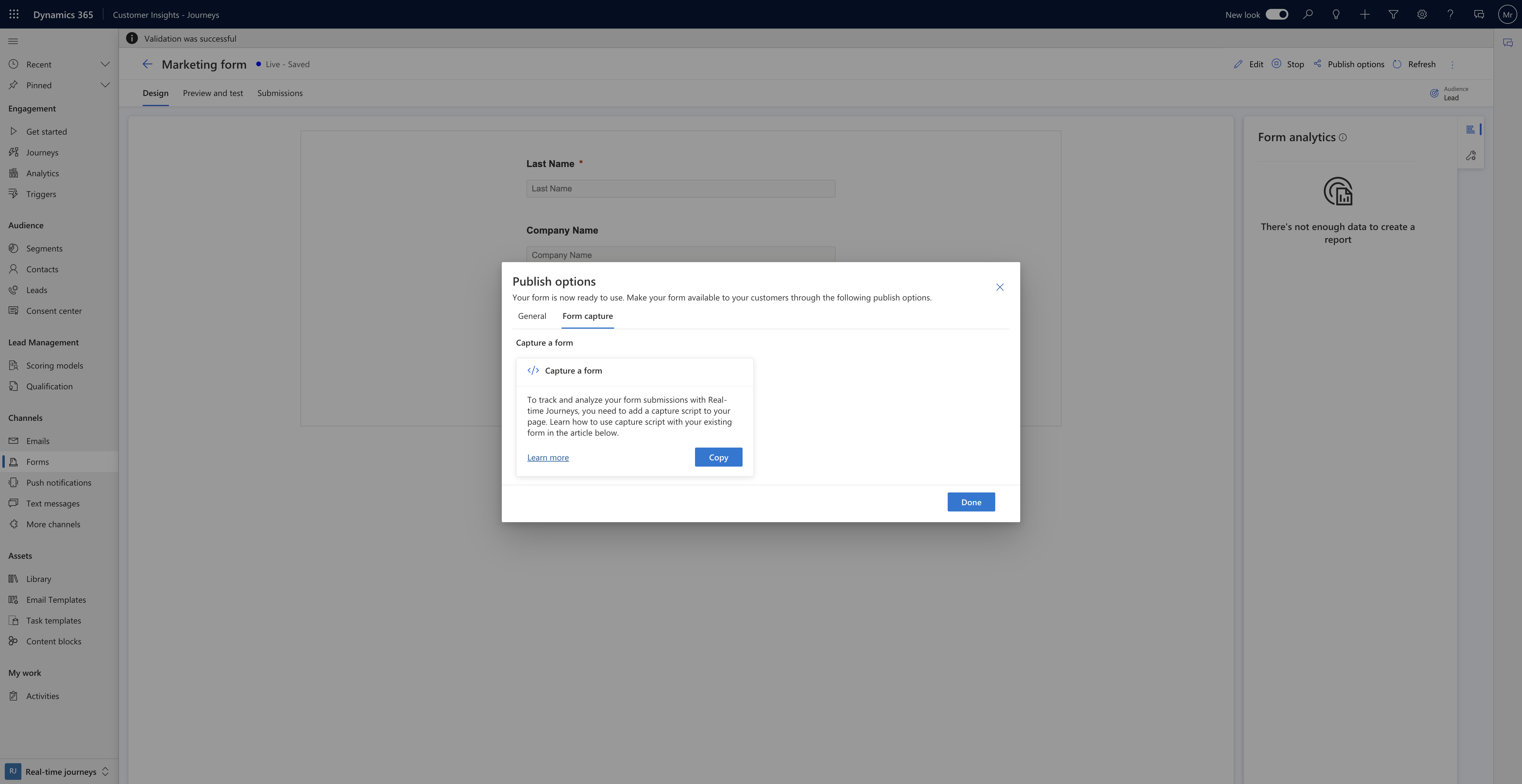
{How to} Capture responses from external third party forms dynamics 365 customer insights

Hello Everyone,

Today I am going to share my thoughts on capture responses from external third party forms dynamics 365 customer insights.

Let’s get’s started.

Certainly! In Dynamics 365 Customer Insights – Journeys, you can now capture form submissions from any external forms and use them to create new leads or contacts.

Here’s how it works:

1.Maximize Potential: If you have custom-built forms on your website, you can leverage them to generate more leads and contacts for your business.

The best part? You don’t need to recreate these forms within Customer Insights – Journeys.

2. Automatic Creation: When users submit forms on your website(whether they’re third-party forms), the system will automatically create new leads or contacts in Customer Insights – Journeys.

3. Mapping Fields: You can easily create JavaScript with mapping of your form fields to existing entity attributes. This ensures that the captured data aligns correctly with your existing records.

4. Embed the script: To implement this, embed the capture script into multiple pages containing the same form. This way, you can seamlessly collect data from various parts of your website.

By capturing responses from external forms, you empower yourself to better understand your audience, target them more accurately, and follow up effectively. It’s a powerful feature that seamlines your lead generation process!.

That’s it for today.

I hope this helps.

Malla Reddy Gurram(@UK365GUY)
#365BlogPostsin365Days

Share this:

{Customer Insights} Generate insights from marketing interactions

Hello Everyone,

Today I am going to share my thoughts on preview feature generate insights from marketing interactions on customer insights.

Let’s get’s started.

To generate insights from marketing interactions in Dynamics 365 Customer Insights, you can follow these steps:

1. Integrate Marketing Interaction Data: Seamlessly integrate data from Customer Insights – Journeys into Customer Insights – Data without the need for manual pipelines. This allows for a unified view of customer profiles and their engagement with marketing campaigns.

2. Create Segments Based on Engagement: Utilize the integrated data to create segments based on customer data and their marketing engagement rates. This helps in identifying loyal customers or those with high purchase intent.

3. Analyze Email Engagement Patterns: Predict customer churn by analyzing patterns in email engagement, this can help in strategizing proactive retention campaigns.

4. Ad Retargeting Strategies: Identify customers who are not engaging with emails and create ad retargeting strategies to increase conversion rates.

5. Unified Customer View: Use the interactions timeline in Dynamics 365 Customer Insights – Journeys to get a complete understanding of your customer’s historical interactions with your business across various channels.

6. Personalize Customer Experiences: Leverage the unified view to create personalized experiences through both digital and non-digital channels, enhancing customer engagement and loyality.

By following these steps, you can generate actionable insights from marketing interactions, enabling you to deliver personalization and drive loyality with increased precision of insights.

That’s it for today.

I hope this helps.

Malla Reddy Gurram(@UK365GUY)
#365BlogPostsin365Days
Share this: