Menu Close

Tag: #mallareddygurram

{How to} Use Copilot in Dynamics 365 Sales Hub

Hello Everyone,

Today I am going to show to use Copilot on Dynamics 365 Sales Hub.

Let’s get’s started.

Before we start if you want to know how to enable Copilot in your Dynamics 365 Sales Hub please read my blog post below:

https://mscrmgmr.blogspot.com/2023/10/how-to-turn-off-copilot-on-dynamics-365.html

Now we can see the Copilot in Sales Hub in action.

Login into Dynamics 365 Sales Hub.
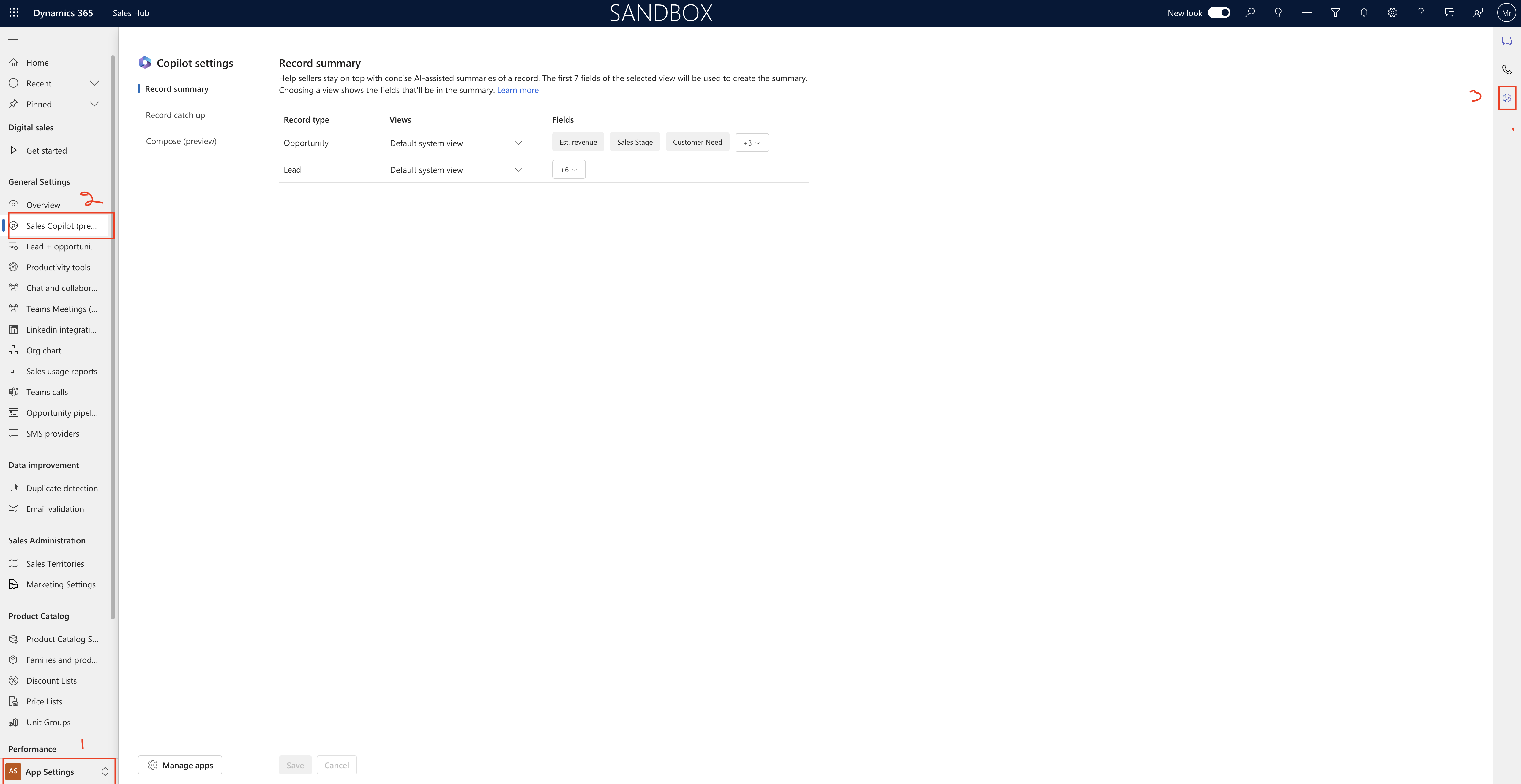
Change the settings to App Settings and the click on Sales Copilot(Preview) and click on Copilot Symbol on the right hand side of the screen.

A side window will be populated, here you can ask questions related to your SALES TABLES.
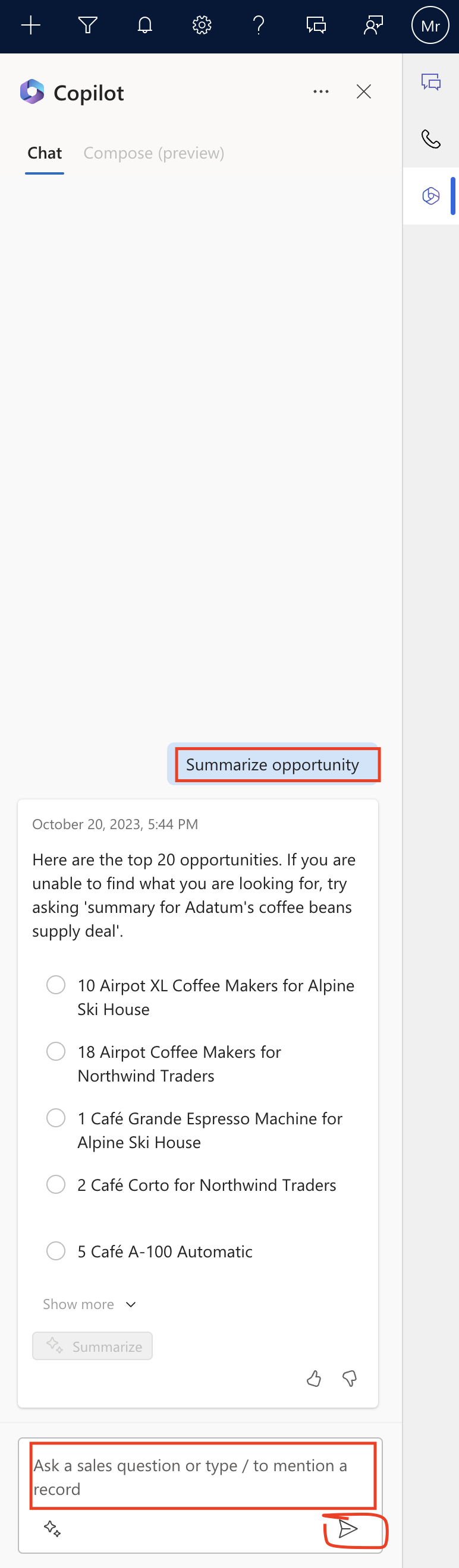
All set now you can use Copilot on Dynamics 365 Sales Hub.

That’s it for today.

I hope this helps.

Malla Reddy Gurram(@UK365GUY)
#365BlogPostsin365Days
Share this:

{Did you know} Now you can export the power page sites website inventroy data for tenants and environments

Hello Everyone,

Today i am going to share how you can export website inventory data for tenant and environments.

Let’s get’s started,

Suppose your organisation is highly regulated industries and government spaces, need to have an accurate inventory of all websites in their tenant. This will help organization, who can access them, when they last modified.

Let’s see in action.

Login into Power Platform Admin Center (www.admin.powerplatform.microsoft.com)

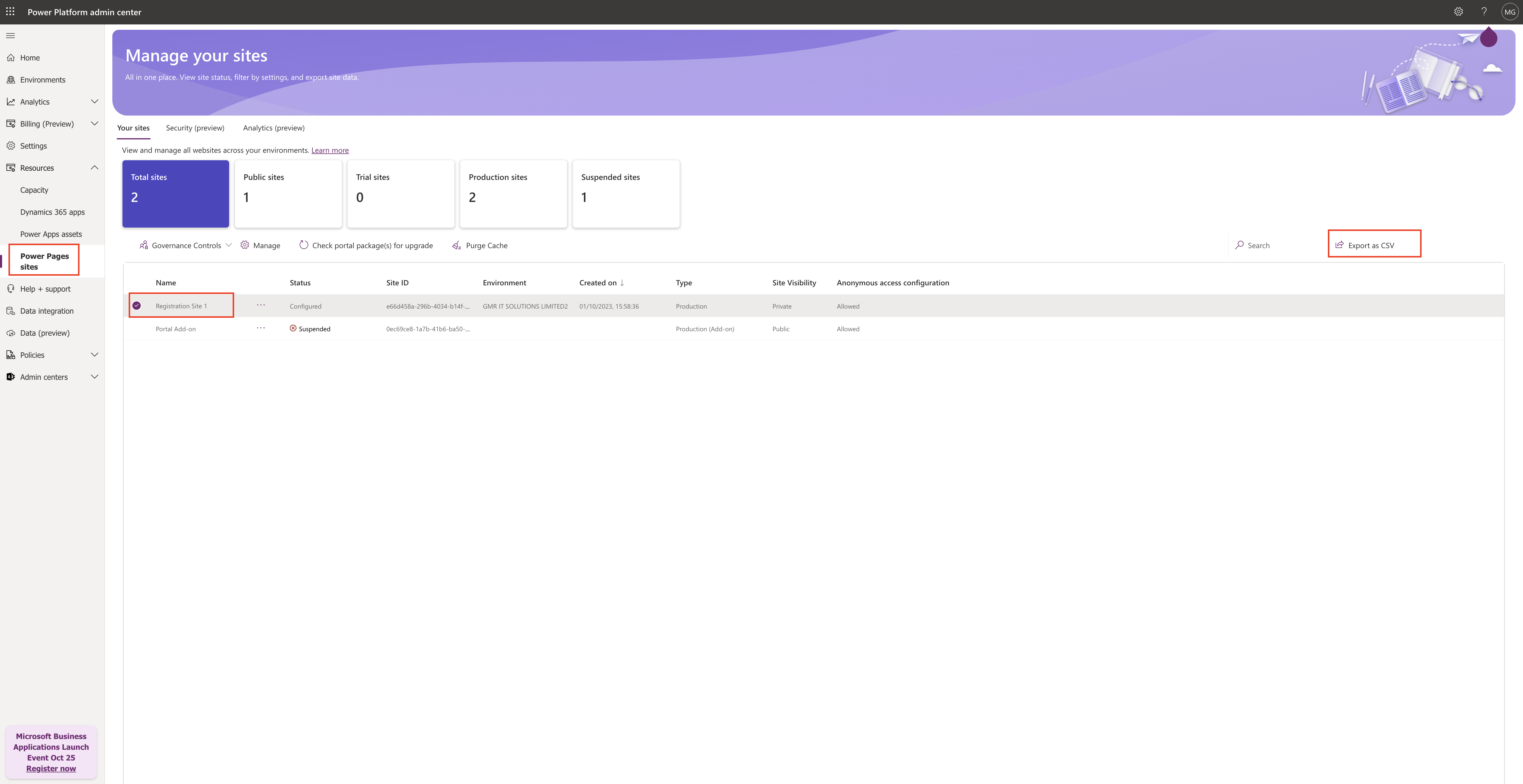
Click on Resources and then click on Power Pages Sites:

Then select the Power Pages site to export and click on “EXPORT CSV”.

Currently the Power Platform admin Center provides a read only list of all websites in a tenant(or environments to which the user is an admin) that can’t be exported for further analysis.

The following list as metadata:

Name
Status
Environment
Created on
Type
Site Visibility

This new feature provides the following:

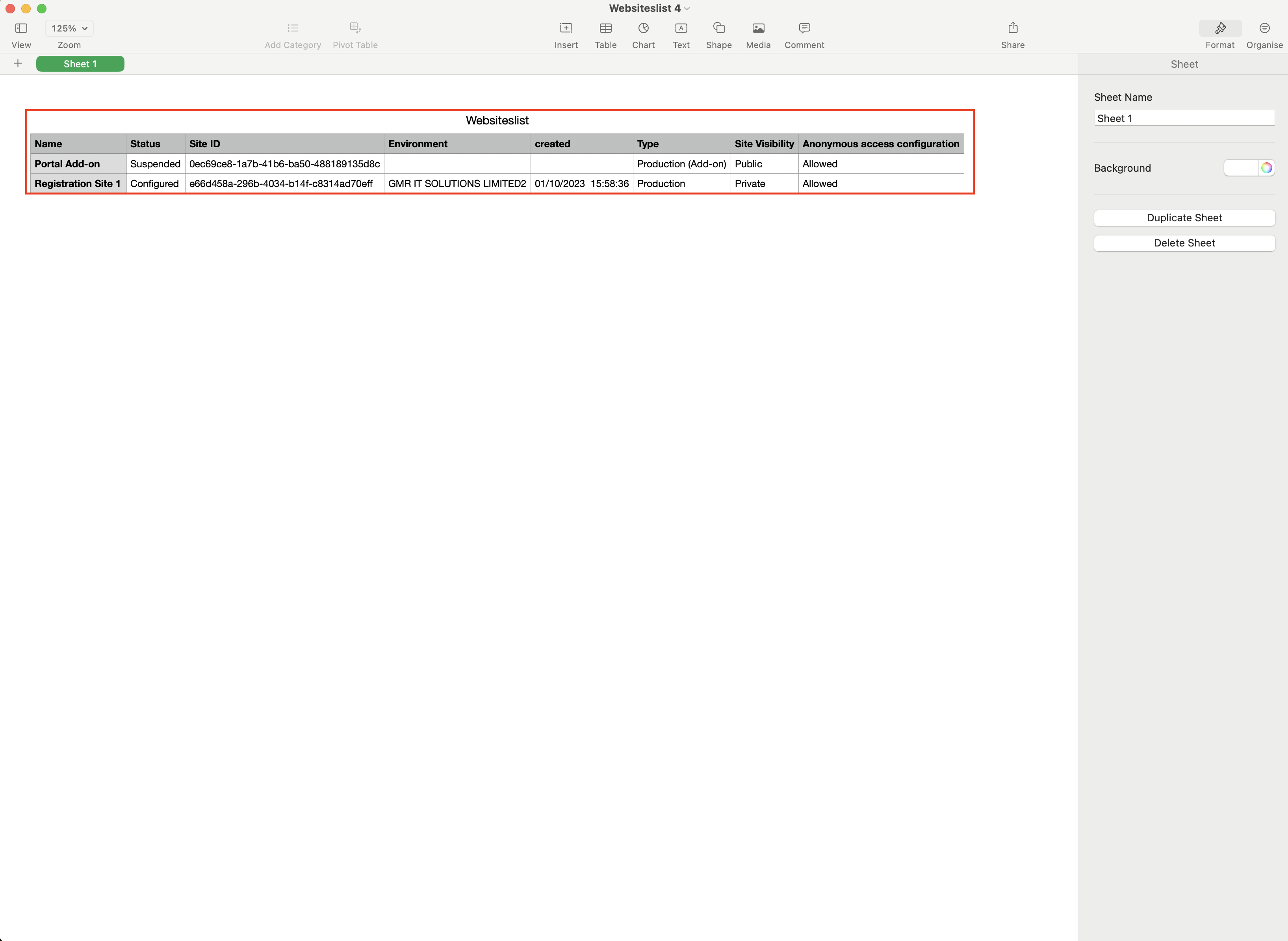
Additional webiste metadata like last modified time, last modified by, and when the site was made public.
Admins can export this data to a CSV and access the additional metadata through admin APIs.

That’s it for today.

I hope this helps.

Malla Reddy Gurram(@UK365GUY)]
#365BlogPostsin365Days

Share this:

{ How to} Add cloud flows with Power Pages

Hello Everyone,

Today i am going to show how you can use Power Automate Flows from Power Pages.

Let’s get’s started.

Login into Power Pages; www.make.powerpages.microsoft.com

Click on the Solutions.

You can create a new solution or existing solution

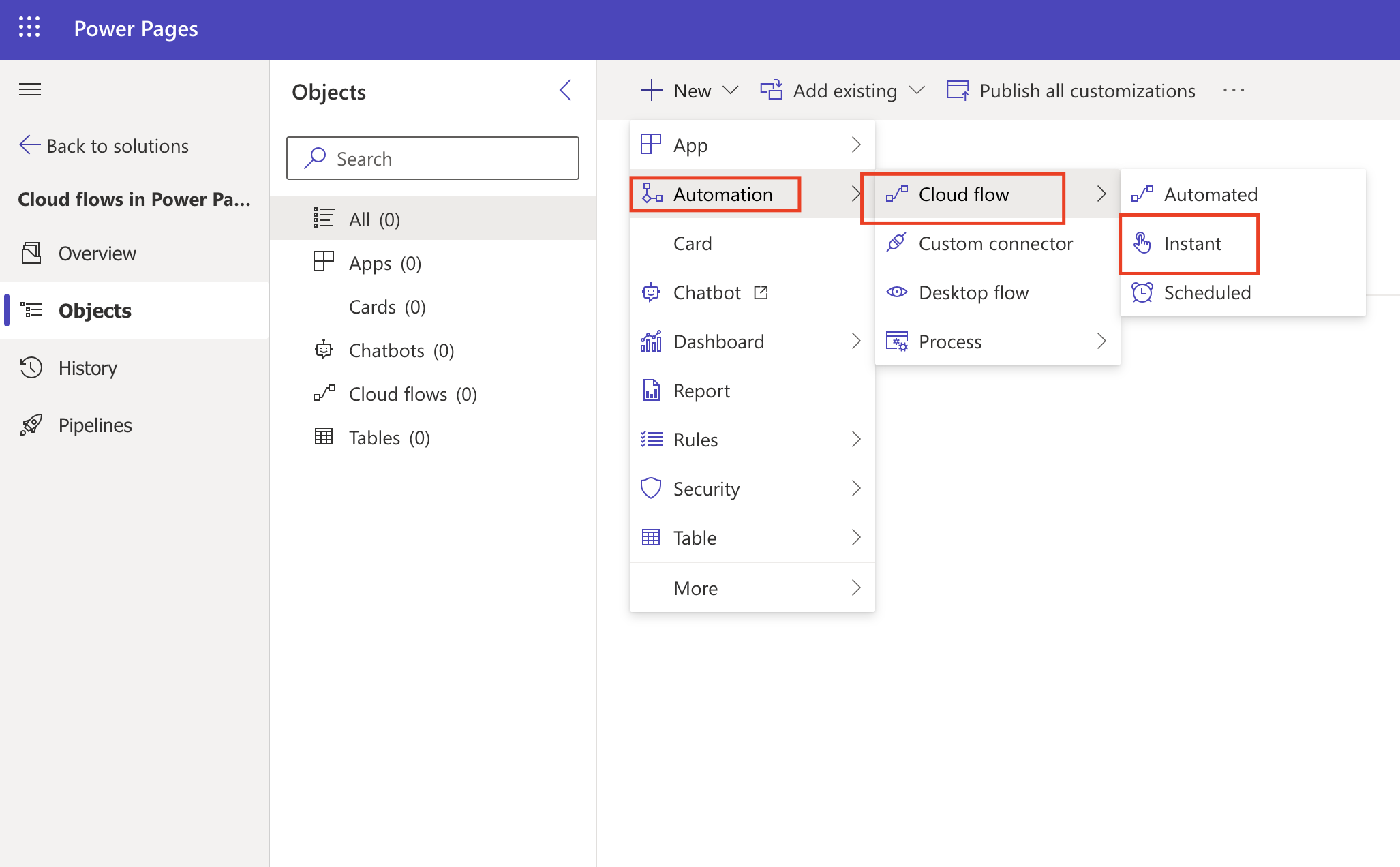
You can select the +New, Automation, Cloud Flows and then Instant flow.

You will get a new window and Select Skip.

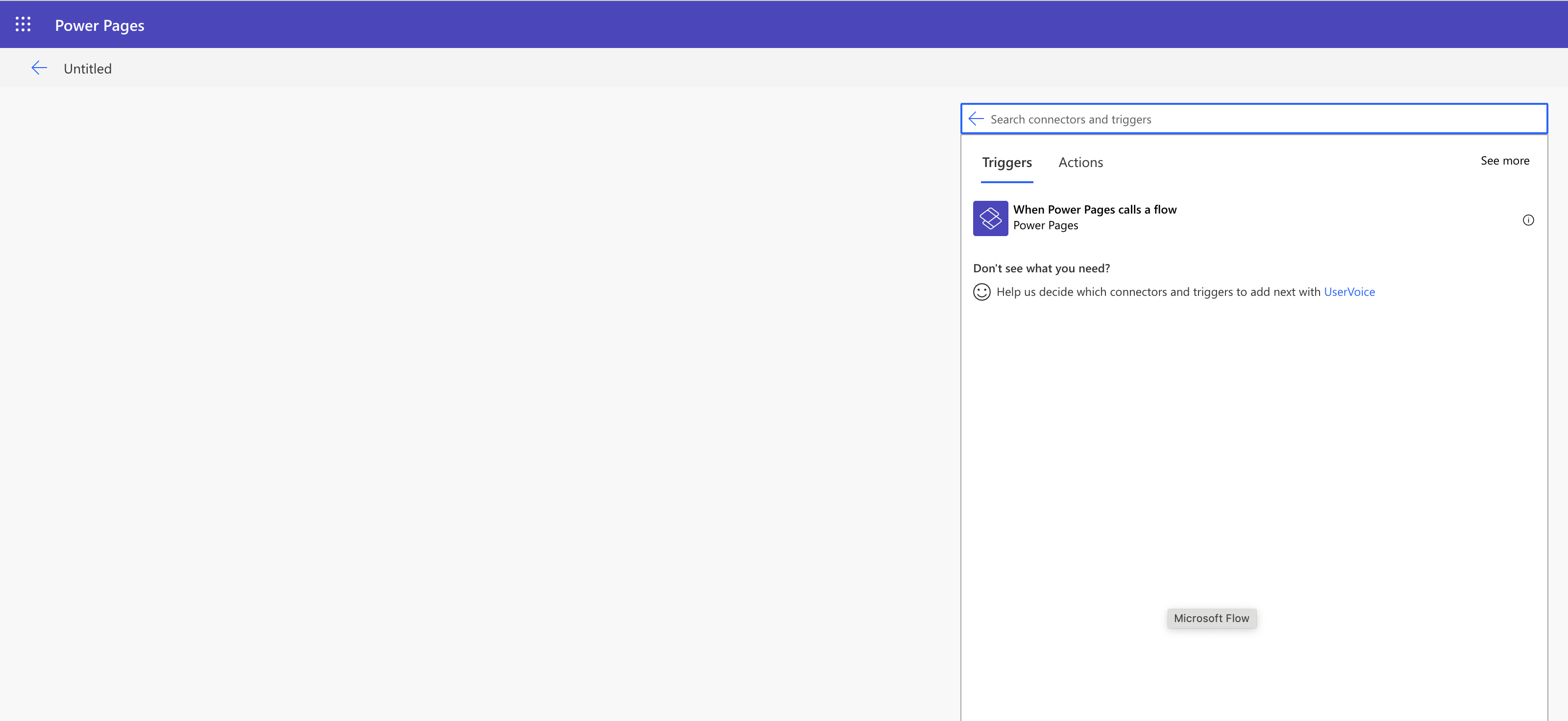
Then search for Power Pages select when Power Pages calls a flow trigger

Define your flow steps and return values and select save.

That’s it for today.

I hope this helps.

Malla Reddy Gurram(@UK365GUY)
#365BlogPostsin365Days
Share this:

{How to} set opportunity pipeline view in Dynamics 365 Sales Hub

Hello Everyone,

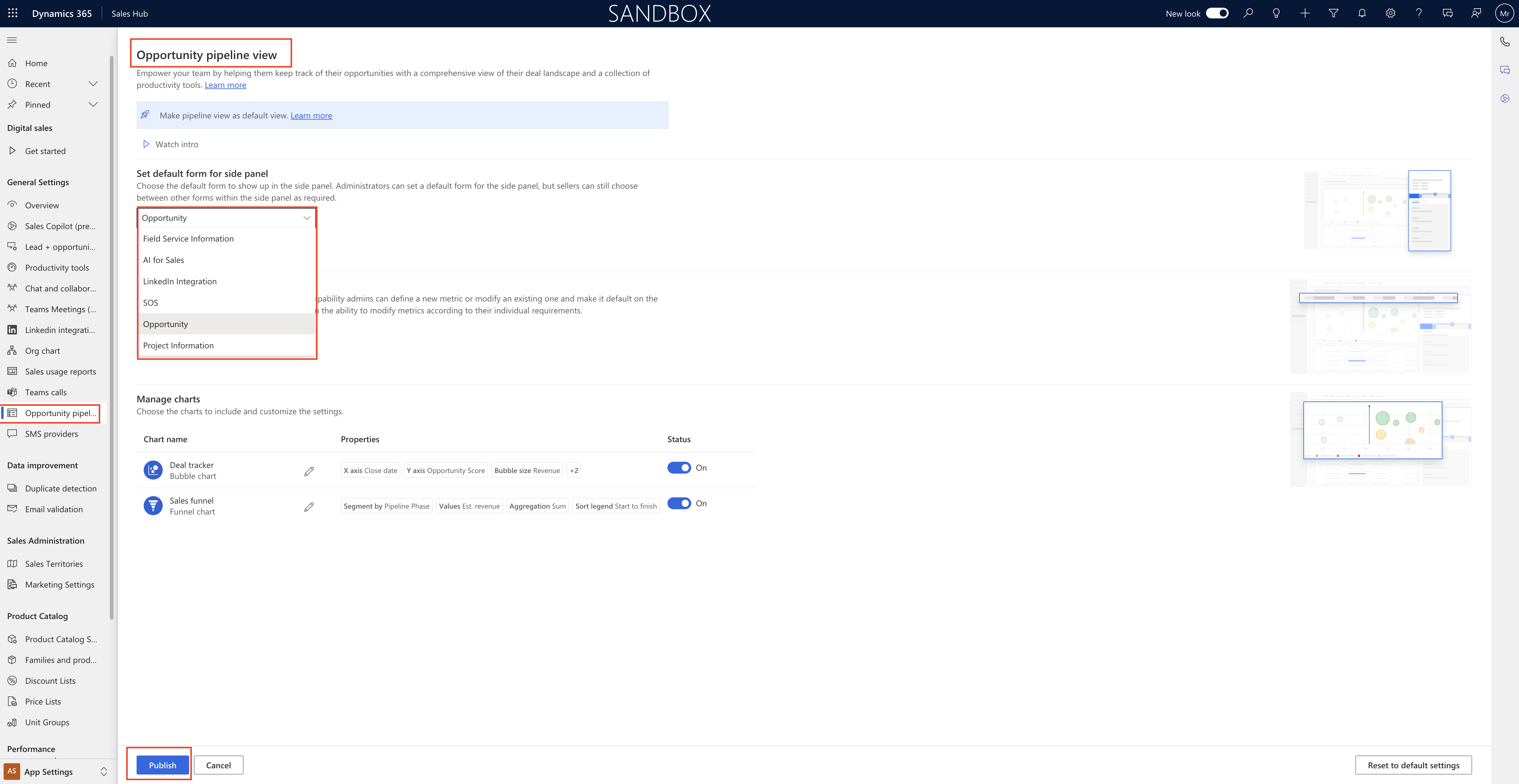
Today I am going to show how to set Opportunity Pipeline View in Dynamics 365 Sales Hub.

Login into Dynamics 365 Sales Hub.

Click on Opportunity Pipeline and you will get the Opportunity pipeline view.

Opportunity Pipeline view:

Empower your team by helping them keep track of their opprotunities with a comprehensive view of their deal landscape and a collection of productivity tools.

You can set the default form for side panel as it show up in the side panel, Adminstrators can set a default form for the side panel,but sellers can still choose between other forms within the side panel as required.

Opportunity, Field Service Information, AI for Sales, LinkedIn Integration, SOS, Opportunity Project Information.

Set default metrics for sellers:

Customise metrics and set as default, with this capability admins can define a new metric or modify an existing one and make it default on the pipeline view for everyone, However, seller retain the ability to modify metrics according to their individual requirements.

Mange charts : charts to include and customize the settings.

Deal trackers, Sales Funnel.

Publish all the settings.

That’s it for today.

I hope this helps.

Malla Reddy Gurram(@UK365GUY)
#365BlogPostsin365Days
Share this: