Menu Close

Tag: #365blogpostin365days

{New} Copilot Studio at a glance

Hello Everyone,

Today I am going to show new UI of Power Virtual Agent which is renamed as Copilot Studio.
Let’s get’s started.

Login into Copilot Studio

https://web.powerva.microsoft.com/

Then you will see new UI of Copilot Studio.

1. Copilot: You can set up new bot with the language you want to speak and Copilot will create responses in real time with answers and information from a website you choose.

2. AI Plugins (Preview)

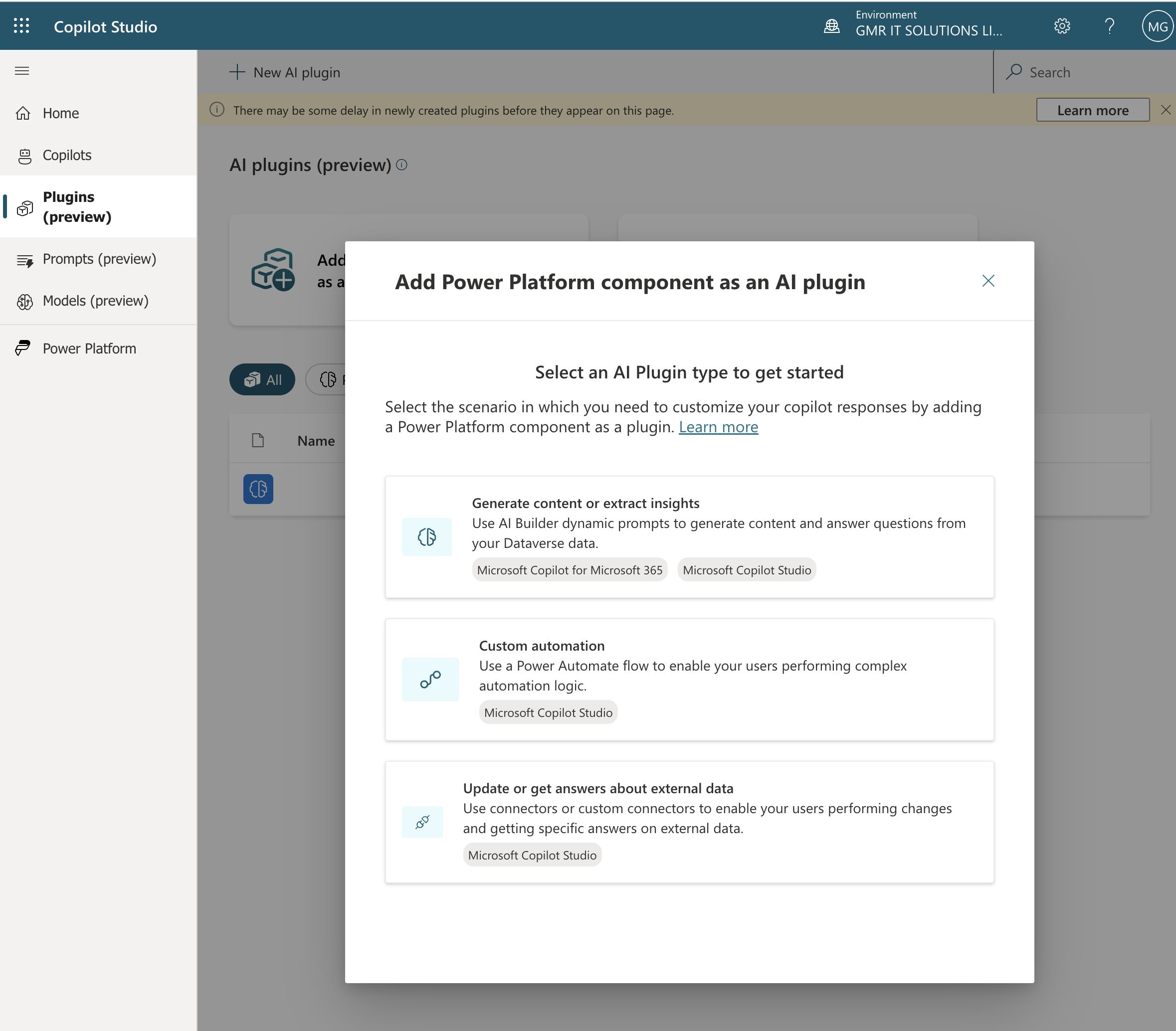
Add Power Platform component as an AI Plugin, you can select generate content or extract insights, Create automation, Update or get answers about external data.
3. Prompts(Preview)

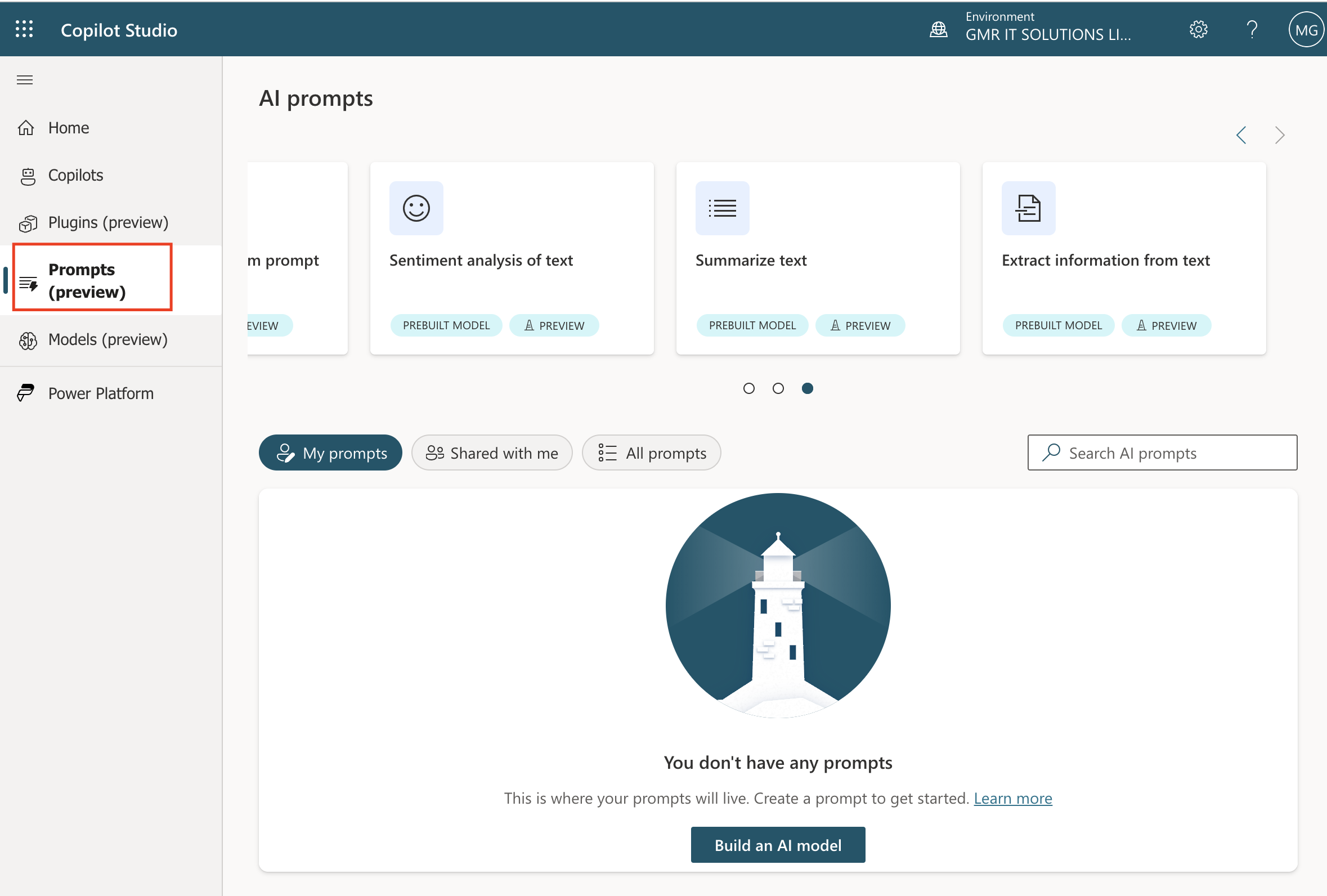
AI Prompts you can create AI builder models and create text using custom prompt and classify text, Respond to AI Reply, Respond to a complaint, create text using custom prompt, sentiment analysis of text, AI Summarize Text, Extract information from text.
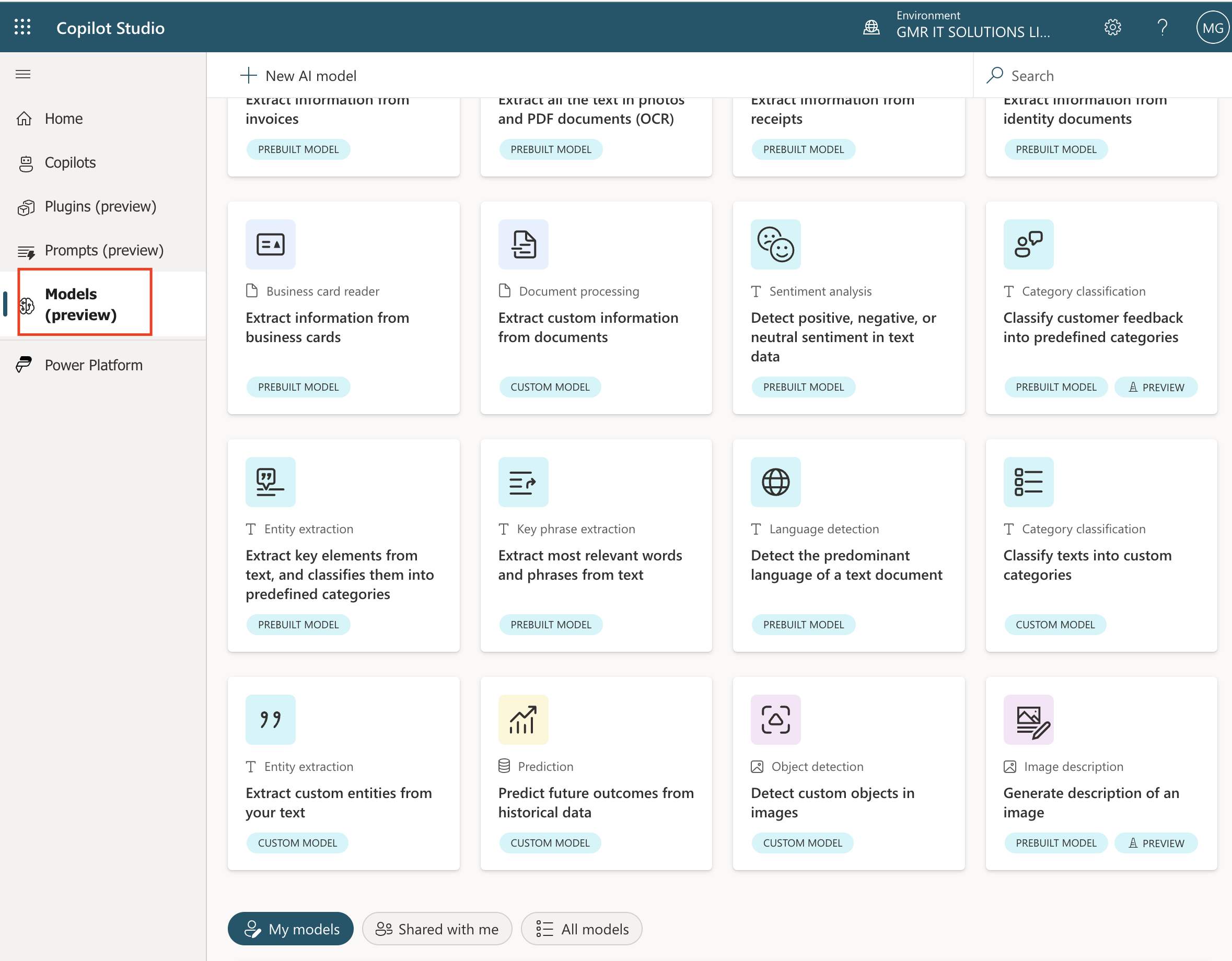
4. Model(Preview): You can create Documents, text, structured data, images and so …
That’s it for today.

I hope this helps.

Malla Reddy Gurram(@UK365GUY)
#365BlogPostsin365Days
Share this:

{Do you know} New settings on Dynamics 365 Sales App

Hello Everyone,

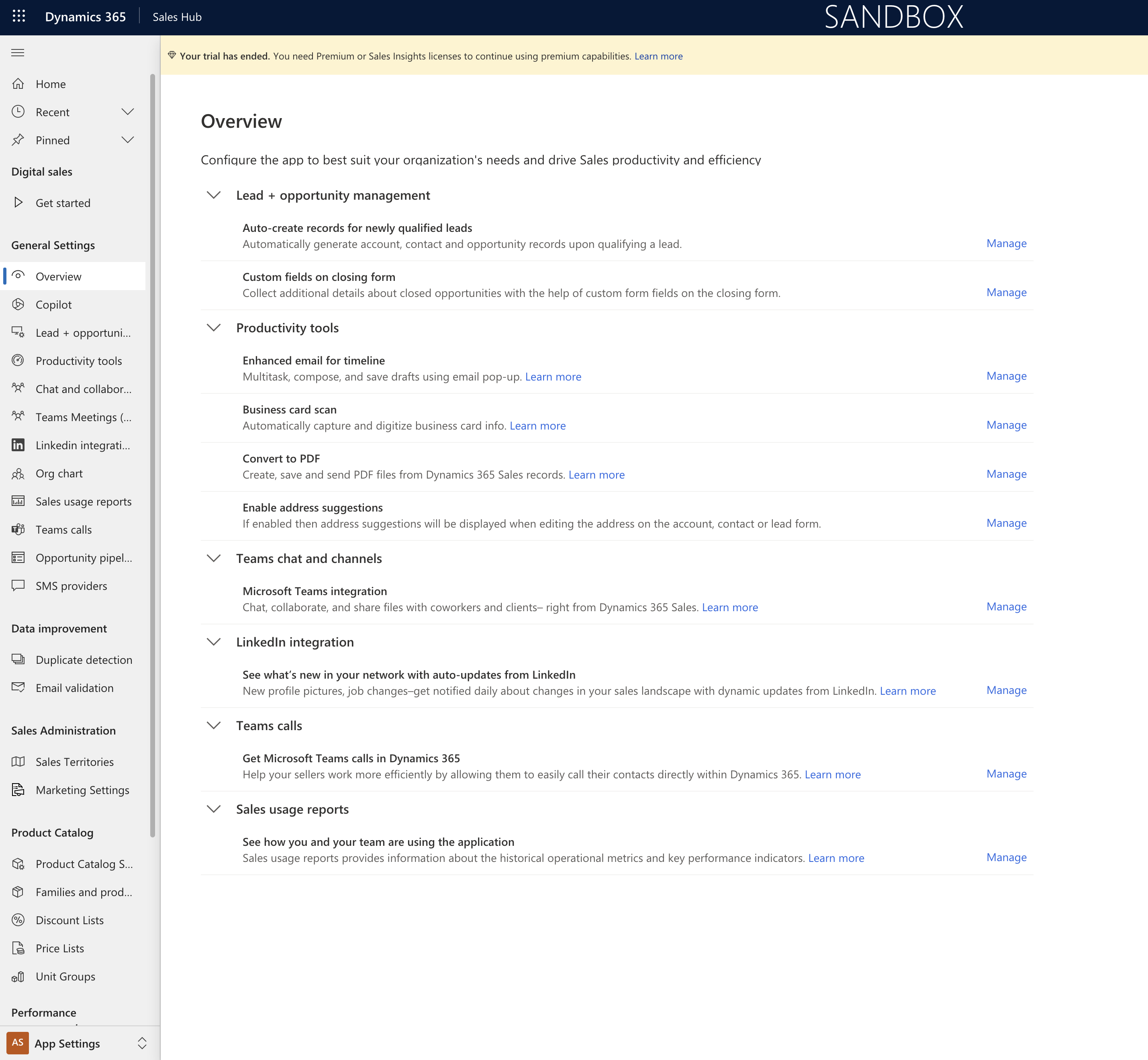
Today I am going to show new settings on Dynamics 365 Sales App.

Let’s get’s started.

Dynamics 365 Sales Admins settings can be difficult to navigate, sometimes frustration for administrators.

By using the search capability, system administrators can improve operational efficiency by locating specific settings quickly and reducing time spent on navigating through the system.

It also simplifies onboarding for new administrators, reducing training time and cost.

Features and settings messages ensure maximum use of the platform’s capabilities, by helping system administrators discover new and relevant features leading to improved performance and productivity.

New search function in Dynamics 365 Sales admin settings will help system administrators achieve following:

1. Quick Navigation.

2. Easy Onboarding

3. Feature discovery

4. Enganced user experience.

That’s it for today.

I hope this helps.

Malla Reddy Gurram(@uk365guy)
#365blogpostsin365days

Share this:

What is the impact of Business Unit scoping on Dynamics 365 Customer Insights

Hello Everyone,

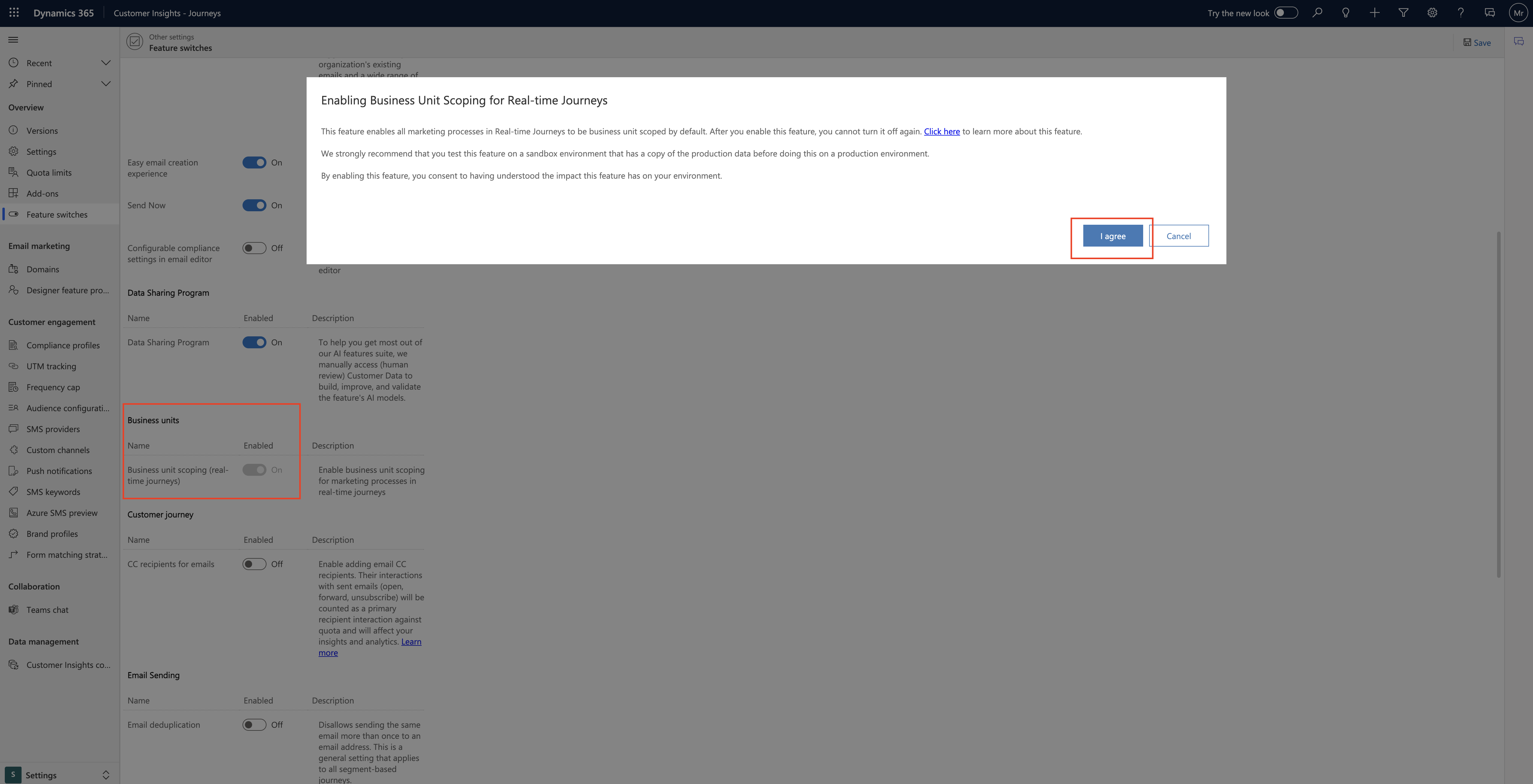
Today I am going to share what is the impact of Business Unit Scoping when you turn on Business Unit Scoping.

Let’s get’s started.

Login into Dynamics 365 Customer Insights.

Change to settings on the bottom left hand cornor.

Click on Feature Settings:

Business unit scoping turn ON.

Enabling Business Unit Scoping for Real Time Journeys:

This feature enables all marketing processes in RTM Journeys to be business unit scoped by default. You cannot turn it off once again.

Strongly recommend that you test this feature on a sandbox environment that has a copy of the production data before doing this on a production environment.

By enabling this feature, you consent to having understood the impact this feature has on your environment.

That’s it for today.

I hope this helps.
Malla Reddy Gurram(@UK365GUY)
#365BlogPostsin365Days
Share this:

{How to} set opportunity pipeline view in Dynamics 365 Sales Hub

Hello Everyone,

Today I am going to show how to set Opportunity Pipeline View in Dynamics 365 Sales Hub.

Login into Dynamics 365 Sales Hub.

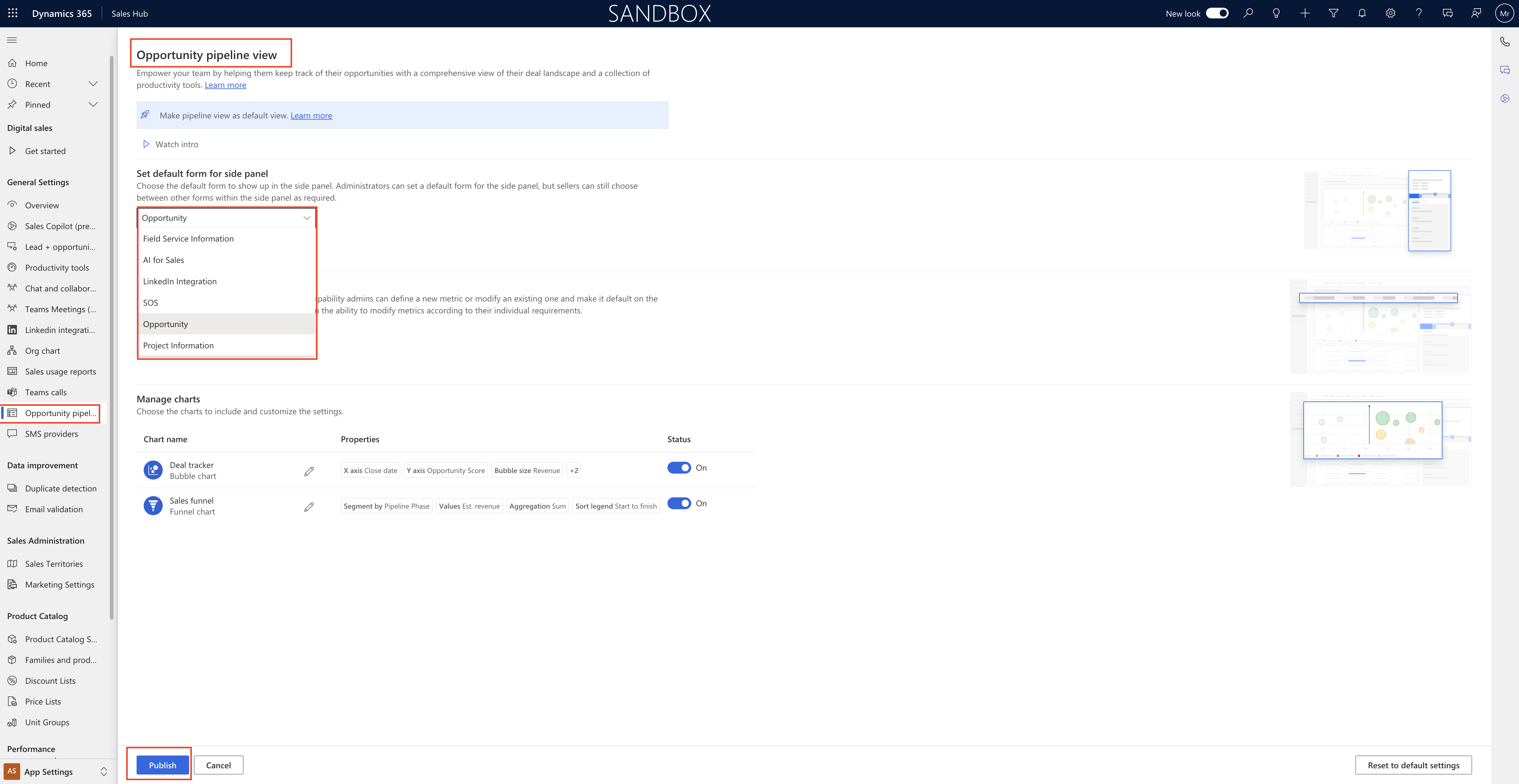
Click on Opportunity Pipeline and you will get the Opportunity pipeline view.

Opportunity Pipeline view:

Empower your team by helping them keep track of their opprotunities with a comprehensive view of their deal landscape and a collection of productivity tools.

You can set the default form for side panel as it show up in the side panel, Adminstrators can set a default form for the side panel,but sellers can still choose between other forms within the side panel as required.

Opportunity, Field Service Information, AI for Sales, LinkedIn Integration, SOS, Opportunity Project Information.

Set default metrics for sellers:

Customise metrics and set as default, with this capability admins can define a new metric or modify an existing one and make it default on the pipeline view for everyone, However, seller retain the ability to modify metrics according to their individual requirements.

Mange charts : charts to include and customize the settings.

Deal trackers, Sales Funnel.

Publish all the settings.

That’s it for today.

I hope this helps.

Malla Reddy Gurram(@UK365GUY)
#365BlogPostsin365Days
Share this:

{Do you know} Power Pages Trial period is for 90 days

Hello Everyone,

Today i am going to share Power Pages Trail period now extended to 90 days now.

Let’s get’s started.

When you want to do some PoC on Power Pages or get started with Power Pages, you usually get 30 days trial period and sometimes it’s not enough so now microsoft providing 90 days trial period.

So websites created in a PRODUCTION Power Platform environment will start as a 90- day trial. The longer trial duration will give makers a longer time to develop their websites without concerns of losing site access within 30 days or having to start paying for licenses by converting the websites to production mode.

That’s it for today.

I hope this helps

Malla Reddy Gurram(@UK365GUY)
#365BlogPostsin365Days
Share this: