
Hello Everyone,
Today I am going to share my thoughts on the evaluation test sets with multiple graders in Copilot Studio.

Let’s get started.
Yes – Copilot Studio now supports evaluating a single test set with multiple graders in one run. This is listed as a Public preview in the 2025 release wave 2 plan, with availability starting February 8, 2026.
What it does:
You can attach several graders to the same test set, such as general quality, text similarity, and exact match.
Each grader can have its own pass criteria.
When you run the evaluation, Copilot Studio applies all selected graders to every test case in that run.
Results show up as separate columns per grader, plus an evaluation summary with aggregated results.
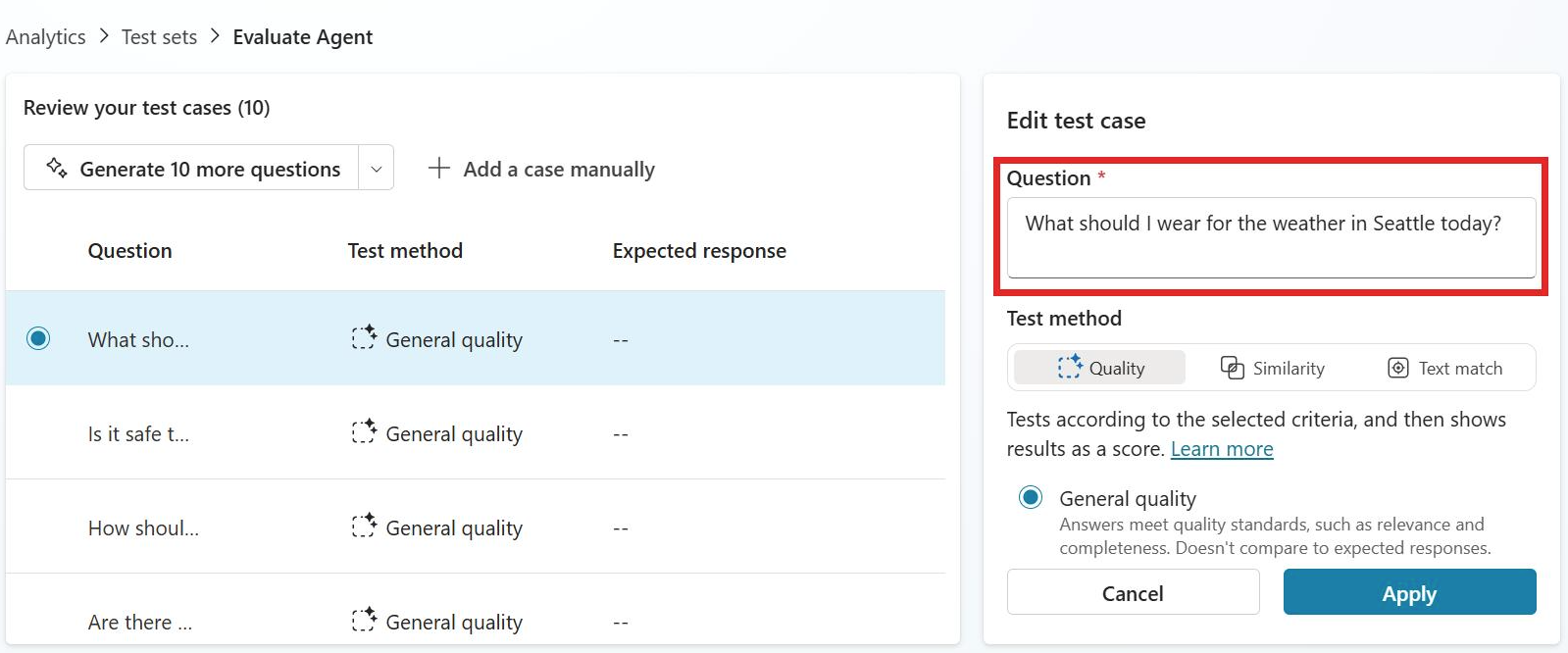
Why this helps:
You can assess different aspects of agent quality in one execution instead of rerunning the same test set multiple times.
Microsoft’s guidance also recommends combining multiple evaluation approaches rather than relying on a single grading method.
Related limits and setup:
Test sets can contain up to 100 test cases.
You can create test sets by generating them in Copilot Studio, importing a .csv or .txt file, writing cases manually, or using production data themes.
If you’re trying to use it in the product:
Go to your agent’s Evaluation page.
Create or open a test set.
Add multiple graders for the test.
Define pass thresholds for each grader.
Run the evaluation and compare the grader-specific result columns and summary.
That’s it for today.
I hope this helps.
Malla Reddy Gurram aka @UK365GUY